How to Use a Planner: Daily Plan, Weekly Review & Ideas
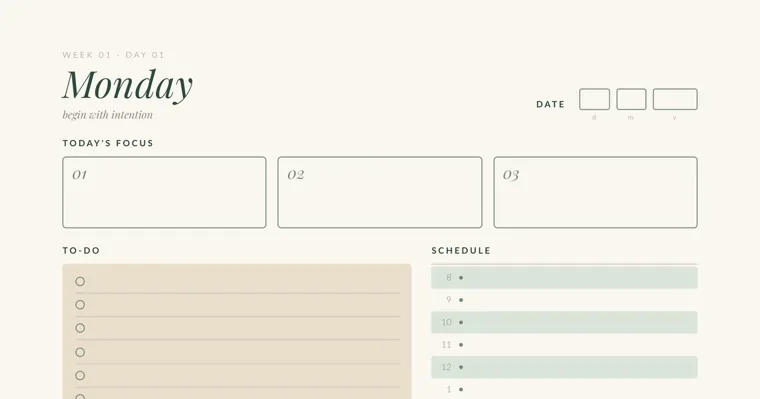
To use a planner, choose a layout that shows the stretch of time you actually juggle, fill in your fixed dates in one sitting, then spend about five minutes each morning picking three priorities and five minutes each evening checking them off. Once a week, look back, carry over what’s unfinished and set the next week’s focus. Colors, symbols and extra trackers come last, after the daily habit holds.
This guide follows that order. It works the same for a store-bought planner, a binder of printed pages or a PDF on a tablet, and it covers three common situations: a full-time job, a household with kids, and a school schedule.
What you need before you start
Set aside about 30 minutes for the first setup, then plan on roughly ten minutes a day after that. The tools are simple:
- A planner, or printed planner pages in a folder or binder
- One pen you like writing with, plus two or three highlighters if you want color later
- Your phone calendar, work calendar or class syllabus, so you can copy dates instead of remembering them
- A spot where the planner stays open or in sight, such as a desk corner or the kitchen counter
If you print your own pages, print at 100% or “Actual size” with fit-to-page turned off, so the boxes keep their size. The how-to page in our printable daily planner asks for 120 gsm paper or heavier. Thin copy paper is fine for pencil, but highlighters may show through to the back.
Step 1: Pick the layout that matches your week
Choose the layout by how far ahead you need to see. A daily page gives you room for many small tasks and appointments in one day. A weekly spread shows all seven days at once, which helps when other people’s schedules shape yours. A monthly calendar is for dates that sit weeks away: bills, birthdays, exams and trips.
| Your week looks like | Layout to start with | First thing to write in |
|---|---|---|
| Full-time job with meetings and deadlines | Daily pages, plus a monthly calendar for due dates | This week’s meetings and the one project that needs focus time |
| Running a household, kids’ activities, meals | A weekly view, plus household pages like a meal plan and chore chart | Every family member’s fixed activities for the week |
| Student with classes and assignments | A monthly calendar for due dates, plus a weekly or daily page for homework | Every exam and due date from the syllabus |
Many people end up with two layers: a monthly calendar for dates and a daily or weekly page for tasks. Two layers is plenty. A third layer usually means writing the same task in three places, and that copying is often the first thing people drop.
Bound or printed pages is the second choice. A bound planner keeps everything together, but a dated one bought in January leaves blank weeks behind if you stop for a while. Undated printed pages let you start on any day and print a fresh week only when you need it. A ring binder sits between the two: you can add and remove pages, and nothing is wasted.
Step 2: Set it up in one sitting
Fill in the things that are already decided first, and leave the rest empty. Setup in this order takes about half an hour:
- Copy fixed dates for the next four to six weeks. Appointments, school events, bill due dates, birthdays and travel go on the monthly calendar. Copy them from your phone, email or school paperwork so nothing depends on memory.
- Add the things that repeat every week. Work hours, class times, kids’ practices and trash day go on each week’s page, or on a single reference page if your planner has one.
- Write this week’s goals. Three is enough. A goal is an outcome for the week, such as “finish the quarterly report draft” or “book the dentist for both kids.”
- Stop there. Trackers, notes pages and decoration can wait until the daily habit is working.
The usual mistake at this stage is filling every box on day one. A page full of trackers and color looks finished, but it gives you a lot to keep up the next morning.
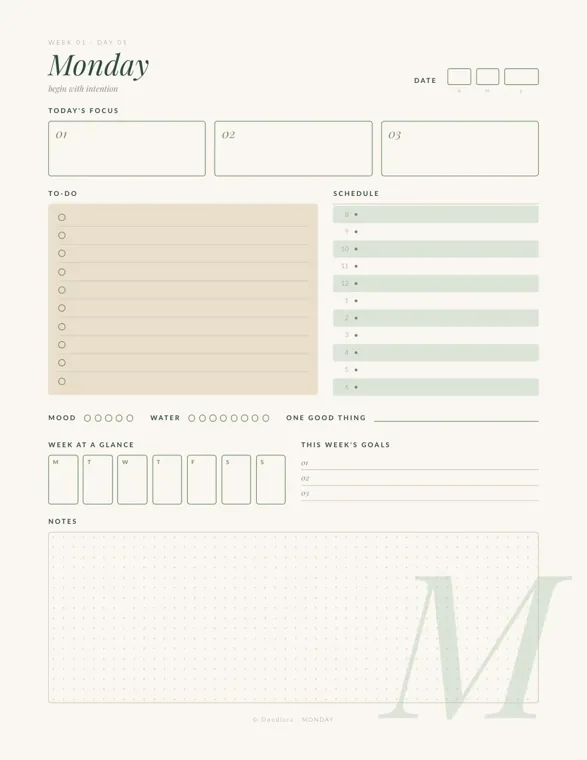
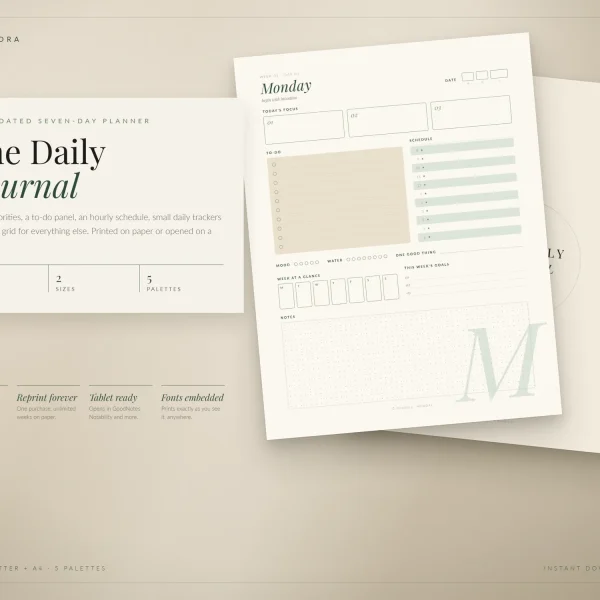
The Monday page of our printable daily planner is laid out for this setup. Below the daily boxes it has a week-at-a-glance row with a small box for each day from Monday to Sunday, and three lines for this week’s goals. Fixed appointments go in the day boxes, and the three goals become the anchor for the rest of the week.
Step 3: Plan the day in five minutes each morning
The morning plan is the core of the whole habit. The how-to page in our daily planner puts it simply: five minutes each morning to set three priorities, and five each evening to look back. Here is how those five minutes go:
- Check today’s fixed times first. Copy meetings, pickups and classes onto the hourly schedule.
- Pick three priorities. These are the tasks that would make the day count even if nothing else got done. Write them in the focus boxes.
- Put everything else on the to-do list. Small errands, emails and calls go there, not in the priority boxes.
- Give each priority a time. Find an open block on the schedule for each one. A task without a time slot is easy to push to “later” all day.
Count before you commit. If the schedule shows four free hours and the three priorities need six, change the list now instead of carrying the gap into the afternoon.
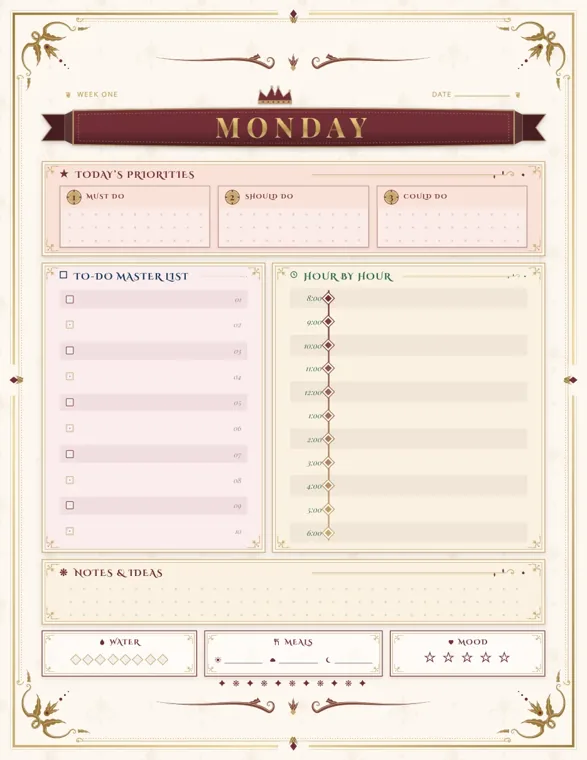
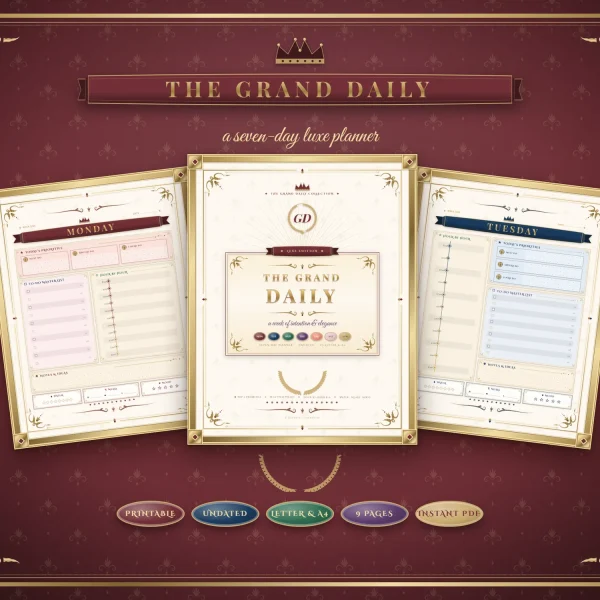
Ranking the three priorities helps on busy days. The baroque-style aesthetic daily planner labels its three boxes must do, should do and could do on most weekday pages. If the morning goes sideways, the “could do” task is the one you let go without guilt, and the “must do” still gets its slot.
Step 4: Close the day in five minutes each evening
The evening check keeps today’s leftovers from becoming tomorrow’s surprise. It takes the other five minutes:
- Tick off what’s done. Seeing the check marks is part of what makes the habit stick.
- Decide on each unfinished task. Move it to tomorrow, give it a specific later date, or cross it out because it no longer matters. Don’t leave it sitting with no decision.
- Write one line about the day. Our daily planner has a “one good thing” line and small circles for mood and water. Fill them only if you’ll look back at them; skipping trackers is fine.
- Glance at tomorrow. Check whether anything early needs preparing tonight, such as a form to sign or a bag to pack.
Moving the same task forward five days in a row is a signal. Either it needs a time slot as one of the three priorities, it needs splitting into a smaller first step, or it isn’t really going to happen and can leave the list.
Step 5: Do a weekly review
A weekly review is where a planner turns from a to-do list into a plan. Pick a fixed time, such as Sunday evening or Friday afternoon, and give it 15 to 20 minutes. Work through it in this order:
- Look back. What went well this week, and what didn’t? Note one thing to keep doing.
- Let go. Cross out tasks that have been carried over for weeks and no longer matter.
- Carry over the rest. Move unfinished tasks that still matter onto next week’s pages.
- Check the calendar. Look at the coming week’s appointments and the monthly calendar for anything due in the next two weeks.
- Set next week’s focus. Write the three goals for the new week.
- Print or prepare the pages. With undated printables, this is when you print the next week.
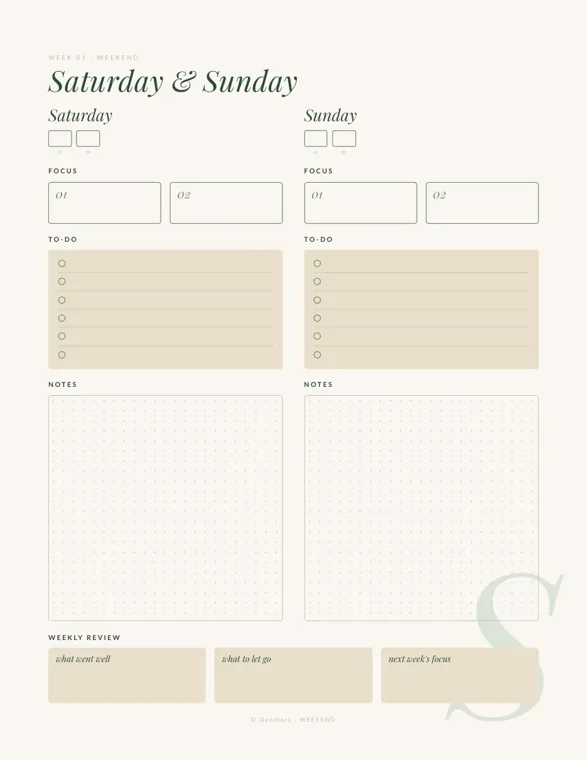
The weekend page in our printable daily planner ends with a weekly review row of three boxes: what went well, what to let go, and next week’s focus. The Friday page before it has space for three wins of the week and a carry-over list, so the review mostly means reading what you already wrote. The baroque planner’s weekend page asks similar questions in different words: this week I’m proud of, next week I will, and grateful for.
Planner ideas: colors, symbols and pages worth adding
These planner ideas are worth adding once the daily and weekly habit has run for two or three weeks. Each one solves a specific problem, so add only the ones that match a problem you have.
Color by area of life, not by importance
Color works best when each color means one area: work, home, school, or one color per family member. In a family planner, giving each child a highlighter color lets you see at a glance whose day is crowded. Keep to three or four colors. More than that and you’ll need to check what each one means, which defeats the point.
Avoid using color for importance. Priority already has its own place in the focus boxes, and a page with everything highlighted in red shows nothing as urgent.
Use a short symbol key
A few symbols make a task list readable at a glance. The bullet journal method, a paper planning system created by designer Ryder Carroll, uses a dot (•) for a task still open, an X for a task done, and a right-facing arrow (>) for a task moved to another day or list, according to the Wikipedia article on bullet journals. That article also notes that bullet journals usually keep a key at the start of the notebook that explains the symbols and colors.
The same idea works in any planner. Write your key on the first page or inside the front cover, and keep it to four or five symbols. A circle for appointments or a star for a deadline is easy to add.
Protect focus time on the busiest workdays
For a full-time job, block focus time on the schedule the way you block meetings. The Tuesday page of our printable daily planner has three “deep work” sessions with a space to write the minutes for each, and a short “avoid today” list. Writing down what you won’t do, such as checking email before 10, makes the block easier to keep.
If your appointments already live in a work calendar, don’t keep two full calendars in sync. Use the digital one for appointments and the paper planner for priorities and tasks, and copy only today’s fixed times during the morning plan.
Add a midweek check
A short check on Wednesday catches a week that’s going off track while there’s still time to fix it. Look at the three weekly goals and ask which one needs a change. Our daily planner’s Wednesday page has a midweek check-in row for each goal and a box for what needs adjusting.
Give the household its own pages
For parents running a home, the planner works better with a few household pages beside it. A weekly meal plan, a family chore chart and a bill tracker cover most of the repeating work. Plan meals during the weekly review, since the grocery list comes from the meal plan.
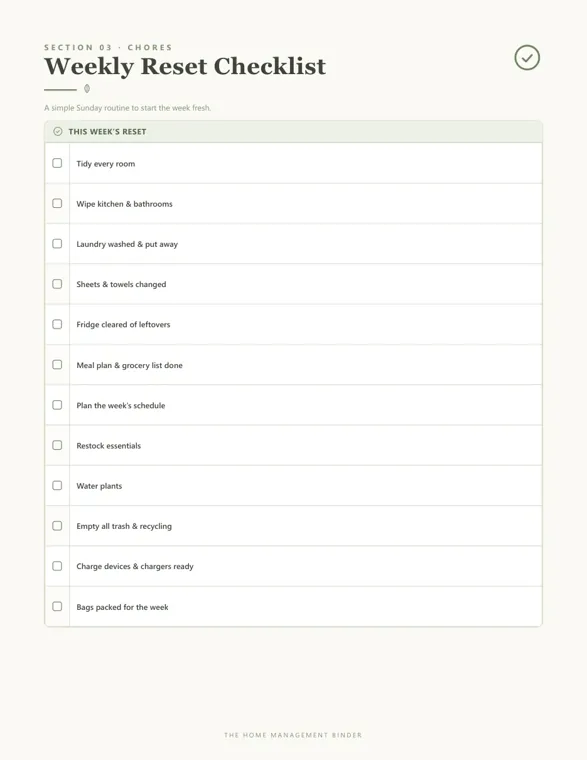
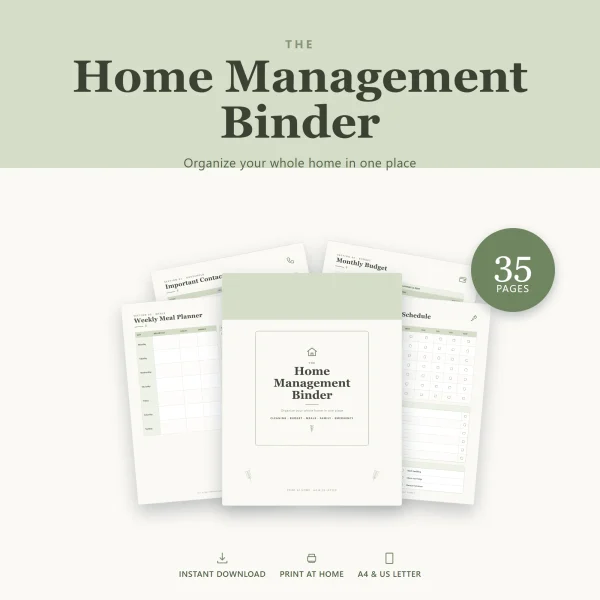
The weekly reset checklist in our home management binder is a simple Sunday routine with twelve items, including laundry, a meal plan and grocery list, and planning the week’s schedule. The same binder has a weekly meal planner with breakfast, lunch and dinner for each day and a grocery list, a family chore chart with a column for who does each chore, and a bill payment tracker with a box for every month. For the money side, our guide on how to make a budget walks through a monthly budget sheet.
Put the whole semester in at once
For students, the most useful planner habit is copying every due date from every syllabus into the monthly calendar in the first week of the term. Then break each big assignment into steps and give each step a date on the weekly or daily page, working back from the due date. A research paper due in four weeks might become: topic chosen, sources found, outline done, draft done, final edit.
Keep a one-line journal
The “one good thing” line is a small journal that fits inside a planner. Write one sentence a day about something that went right. If you want more than a line, our gratitude journal prompts give longer questions to answer.
What to do when you skip days or want to quit
Missing days is normal, and the fix is to restart on today’s page. Don’t go back and fill in the days you missed; that turns a five-minute habit into an hour of catching up, and it’s the usual reason people abandon a planner after the first gap. Undated pages help here, since there are no empty dated pages to look at.
If the gaps keep happening, look for the cause:
- The planner is out of sight. Keep it open on the desk or counter where you start your day, not in a bag or a drawer.
- The routine has no fixed moment. Tie the morning plan to something you already do, such as making coffee. Our morning routine ideas include a version with three priorities and a look at the calendar before email.
- The page asks too much. Cut back to three priorities and the schedule. Add trackers again later, one at a time.
- The to-do list overflows every day. Keep a separate “later” list on a notes page and move tasks there during the evening check.
- Decorating has become the chore. Plain pages work just as well. Save decoration for a slow weekend, or drop it.
- Paper doesn’t suit you. The print notes for our baroque-style daily planner say the PDF can be imported into a PDF note-taking app such as GoodNotes or Notability, where you duplicate a page whenever you need a fresh day and write with a stylus.
For one large project, such as a wedding, a planner page alone isn’t enough. A dedicated timeline like our wedding planning checklist is easier to follow, with the weekly review used to pull the next few tasks onto your planner.
Frequently asked questions
How long should planning take each day?
About ten minutes: five in the morning to set three priorities and place them on the schedule, and five in the evening to tick off and move what’s left. The weekly review takes 15 to 20 minutes once a week.
Should I use a daily or a weekly planner?
Use daily pages if you have many tasks or appointments in a single day, and a weekly spread if you need to see the whole week at once, for example to fit around a family’s schedule. Pair either with a monthly calendar for dates that are weeks away.
What should I write in a planner first?
Start with what’s already decided: appointments, due dates, bills and birthdays for the next month, then the weekly repeating commitments, then three goals for this week. Leave trackers and extra pages for later.
Printables from this article
Related articles
Printable Planners
How to Meal Plan: Meal Planning and Prep for Beginners
A step-by-step weekly meal planning method for beginners, from reading the calendar to the grocery list, safe leftovers, simple meal prep and busy-night backups.
Printable Planners
Budget Categories: Fixed, Variable and Easy-to-Miss Costs
Budget categories for singles, families and irregular earners, with what goes in each one, first-month estimates and the yearly costs that slip through.
Printable Planners
Wedding Planning Checklist: Timeline and Day-Of Checklist
A wedding checklist laid out by month, from the first budget talk to the thank-you notes, with who handles each job and the step that tends to slip at every stage.