Time Blocking: How to Time Block Your Day, With Examples
Time blocking is a way of planning in which every task gets a start time and an end time on the calendar, so the day turns into a row of reserved slots instead of a list you work through until the hours run out. One block can hold one large task, such as drafting a report, or a batch of small ones, such as email and phone calls. Planning a day this way takes about ten minutes once you’re used to it. The part that makes it work is the five minutes at the end of the day when you compare the plan with what happened. This guide covers the steps, sample schedules for an office job, a student, a parent at home and a freelancer, and fixes for blocks that keep running over.
Time blocking vs. a to-do list and a Pomodoro timer
Time blocking is easiest to understand next to the two tools people already use. Each one answers a different question, and they work best together.
| Method | The question it answers | Where it falls short alone |
|---|---|---|
| To-do list | What needs doing? | No time limits, so long tasks keep sliding to the bottom |
| Time blocking | When will each thing get done, and for how long? | A bad estimate pushes every later block |
| Pomodoro timer | How do I keep working once I’ve started? | Says nothing about which task comes first |
A to-do list holds the tasks but leaves the when open, which is why the big, quiet jobs survive for weeks on it. A Pomodoro timer, named for the tomato-shaped kitchen timer Francesco Cirillo used, splits work into intervals of typically 25 minutes with a short break after each. It manages how you work inside a stretch of time, while time blocking decides which stretch each task gets. In practice the list feeds the blocks, and a long block can be worked in 25-minute rounds.
How to time block a day, step by step
Planning one day in blocks takes seven moves, and the order matters: the fixed parts of the day go down before anything flexible does. Do this the evening before or first thing in the morning, before messages pull you elsewhere.
- Write down everything the day has to hold. List tasks, appointments, errands and chores in one place. Don’t sort yet; the goal is to see the whole load.
- Draw in the hard edges. Meetings, classes, school drop-off and pickup, a shift, a commute and meals with family can’t move, so they go on the schedule first. What’s left between them is the time you actually have to plan.
- Estimate each task in minutes, then add a margin. Most estimates come out short. Wikipedia’s article on timeboxing names inadequate task breakdown as a common cause of underestimating work, so split any task longer than about two hours into steps and estimate each step. A margin of a quarter more time is our working rule, not a measured figure.
- Give the hardest task your best hours. Put the one task that needs real thinking into a single block of 60 to 120 minutes, at the time of day you concentrate best. For many people that’s the morning, but the evening counts if that’s when your head is clear.
- Batch the small things into one or two admin blocks. Email, calls, forms and quick replies go into blocks of 30 to 45 minutes. This keeps them from breaking the long block into pieces.
- Leave part of the day unassigned. A schedule with every slot filled has nowhere for an overrun to go. We’d keep roughly a fifth of the working day open, split into short gaps after meetings and one longer gap in the afternoon.
- Close the day by checking each block. Tick what got done, write the unfinished task on the next day’s page, and note one block that ran long. This takes about five minutes and is the step that improves your estimates.
For the reasoning behind putting three priorities into time slots, and why buffers matter, our time management tips explain both in their first section. The steps above go further, from estimating to the end-of-day check.
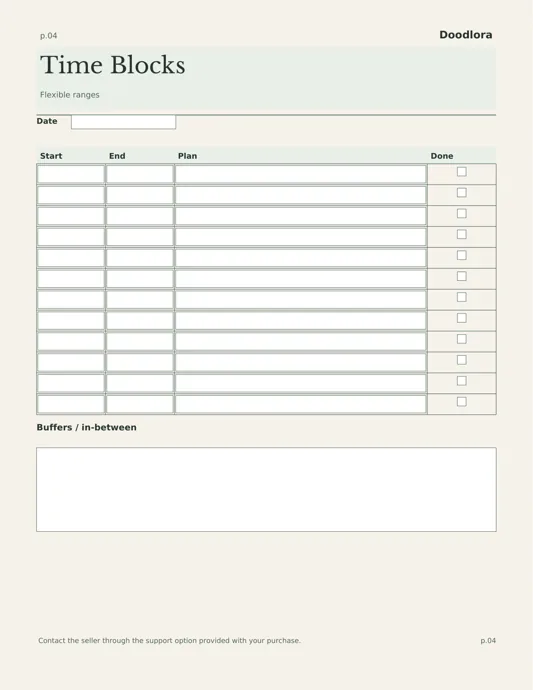
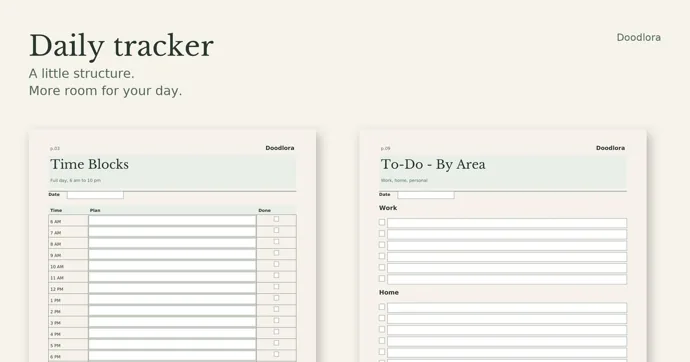
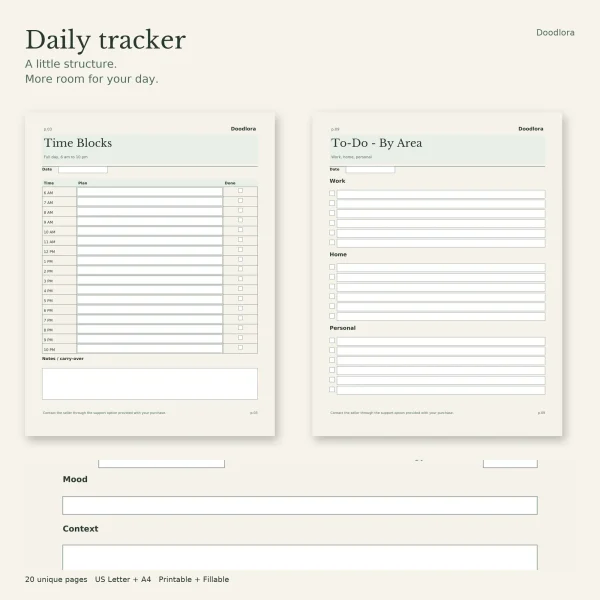
Our daily tracker printable has two time block pages, and they suit different days. The full-day page prints one row per hour from 6 a.m. to 10 p.m., which works when your blocks fall on the hour. The flexible page above has 12 rows with blank start and end columns, which fits days that start at 5 or blocks that end at 10:40. With only 12 rows, a day split into more than a dozen blocks is a sign the blocks are too small.
Sample time blocking schedules for work and school
Every schedule below is a sample to copy and adjust, not a rule. Each one shows where the fixed events sit, where the long block goes and where the gaps are, because those three choices decide whether a time blocking schedule survives the day.
An office job with meetings
Meetings are the fixed edges here, so the long focus block goes before the first one.
| Time | Block |
|---|---|
| 8:30–9:00 a.m. | Plan the day, read only messages from your manager or team |
| 9:00–10:45 a.m. | Focus block: the main project task |
| 10:45–11:00 a.m. | Open gap |
| 11:00 a.m.–12:00 p.m. | Team meeting |
| 12:00–12:30 p.m. | Email and chat batch |
| 12:30–1:15 p.m. | Lunch away from the desk |
| 1:15–2:45 p.m. | Second work block: reports, follow-ups from the meeting |
| 2:45–3:30 p.m. | Open gap for overruns and walk-up questions |
| 3:30–4:30 p.m. | Client call or one-on-one |
| 4:30–5:00 p.m. | Email batch, then close the day and plan tomorrow |
The snag in an office is a shared calendar. If colleagues can book any empty slot, mark the focus block as busy, or it will fill with meetings first.
A student with classes
Classes are fixed, so study blocks go in the gaps between them and in the evening.
| Time | Block |
|---|---|
| 8:00–8:30 a.m. | Breakfast, check the day’s classes and due dates |
| 9:00 a.m.–12:00 p.m. | Classes |
| 12:00–12:20 p.m. | Review notes from the morning classes |
| 12:20–1:00 p.m. | Lunch |
| 1:00–3:00 p.m. | Lab or afternoon class |
| 3:30–4:20 p.m. | Study block: the hardest subject |
| 4:20–4:30 p.m. | Break |
| 4:30–5:20 p.m. | Study block: second subject |
| 5:30–7:00 p.m. | Practice, job or free time |
| 7:30–8:20 p.m. | Study block: reading or a long assignment |
| 8:20–8:40 p.m. | Pack the bag, plan tomorrow |
Two habits help most. Put the subject you’d rather avoid into the first study block, while energy is highest. Use the short block right after class to reread your notes while the lecture is fresh, because notes left for a week are much harder to make sense of.
A freelancer or self-employed day
Without a boss or an office, the main risk is the opposite of a crowded calendar: one client’s work spreads across the whole day. The historian C. Northcote Parkinson put it in a 1955 essay in The Economist as “Work expands so as to fill the time available for its completion.” Blocks with a firm end time are the answer.
| Time | Block |
|---|---|
| 8:30–9:00 a.m. | Plan the day, check client messages |
| 9:00–11:30 a.m. | Client A: the main deliverable |
| 11:30 a.m.–12:00 p.m. | Messages and calls batch |
| 12:00–1:00 p.m. | Lunch, outside if possible |
| 1:00–2:30 p.m. | Client B |
| 2:30–3:00 p.m. | Open gap |
| 3:00–4:00 p.m. | Admin: invoices, quotes, bookkeeping |
| 4:00–4:45 p.m. | Pitching or finding new work |
| 4:45–5:00 p.m. | Shutdown: log hours by client, plan tomorrow |
If you bill by the hour, the shutdown block is where you write each client’s time down while you still remember it. Theme days work well here too: one day a week for admin and pitching keeps those jobs out of your client days.
Time blocking at home with young kids
A parent at home can’t block the day in tidy hours, because the children set the schedule. Build the blocks around the anchors that repeat: wake-up, meals, nap or quiet time, school drop-off and pickup, and bedtime. Between those anchors, plan in three broad blocks, morning, afternoon and evening, with one task each instead of a timed list.
| Part of the day | Anchor that sets it | One block to protect |
|---|---|---|
| Morning | Breakfast to drop-off or mid-morning snack | Errands or an outing with the kids |
| Afternoon | Nap or quiet time | The one task that needs both hands and your full attention |
| Evening | Dinner to bedtime | Laundry, tidying and setting up the next morning |
| After bedtime | Kids asleep | Paperwork, planning or rest |
The snag is the nap that ends early. Give the protected afternoon task a 20-minute version, such as “pay the two urgent bills” instead of “sort all the paperwork,” so a short nap still gets something done. Getting everyone out of the door is its own problem, and our morning routine ideas guide has a section for parents that covers it.
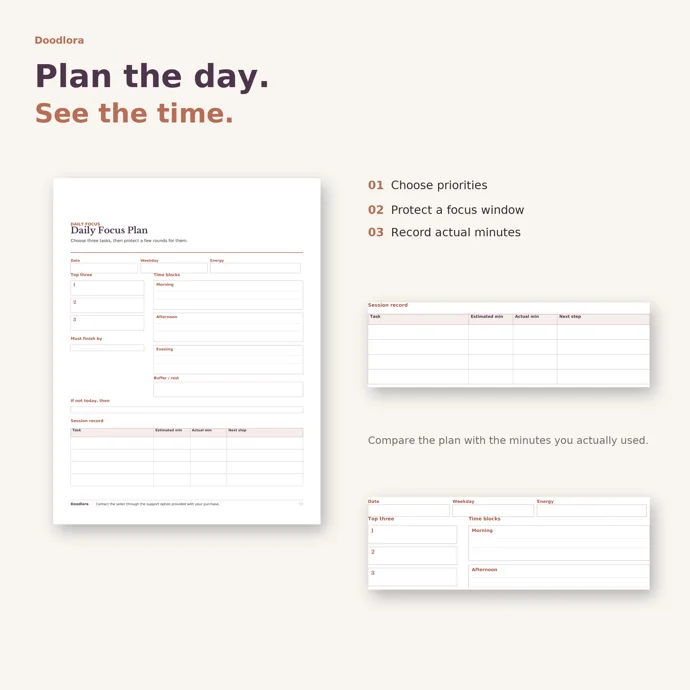
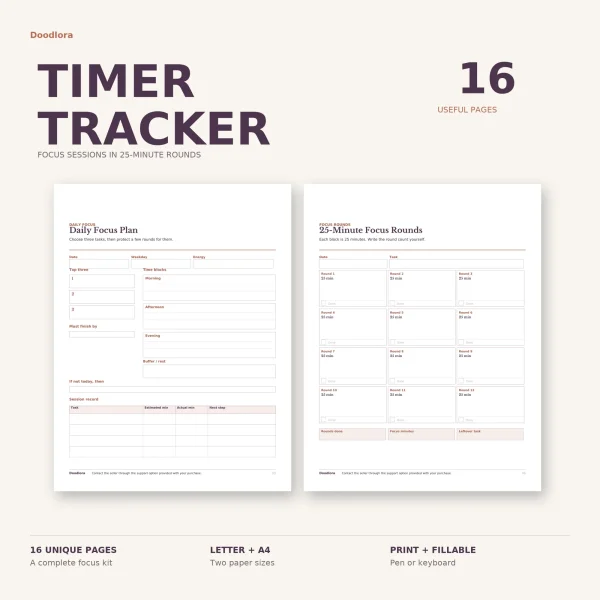
The Daily Focus Plan in our focus session log uses this broad layout: three top tasks, then time block boxes for morning, afternoon and evening plus a buffer and rest box. It also has a “must finish by” line, which helps on days with a pickup time you can’t move.
How to time block a week
A weekly plan keeps the daily blocks pointed at something bigger than the next deadline. Set aside 20 to 30 minutes on Friday afternoon or Sunday evening and work in this order.
- Put the recurring blocks in first. Classes, practices, standing meetings, workouts and the weekly grocery run repeat every week, so copy them onto every day before anything else.
- Choose three to five results for the week. These are outcomes, such as “first draft of the proposal sent,” not activities.
- Give each result one or more blocks. A result that needs six hours gets three two-hour blocks on three days, not one heroic evening.
- Keep one half-day lighter than the rest. Thursday or Friday afternoon makes a good catch-up block for whatever slipped earlier in the week.
- Plan each day the evening before. The weekly plan sets the big blocks; the evening check moves them around what actually happened.
Goals turn into blocks most easily when they already have a weekly amount. Our SMART goal examples give each goal a weekly part, such as three walks or four practice days, and that number tells you how many blocks to book. For the full weekly review routine, with what to carry over and what to let go, see step 5 of our guide on how to use a planner.
When time blocks keep going wrong
Most people who drop time blocking hit one of three problems in the first two weeks. All three are planning mistakes, and you can fix them without dropping the method.
Blocks always run over
When every block runs long, the estimates are the problem, not your discipline. For one week, write the planned minutes and the real minutes next to each block, then compare. If a task you plan at 60 minutes keeps taking 90, plan 90 from now on.
When a block ends and the task isn’t done, stop anyway and give the rest its own block later. That’s the idea behind timeboxing: the end time stays fixed and the amount of work shrinks to fit. Letting one block run on pushes every block after it, and by mid-afternoon the plan no longer matches the clock.
Interruptions wreck the plan
An interruption needs a decision, not a whole new schedule. Write it down, then choose: handle it now if it truly can’t wait, or give it a slot later. The Pomodoro method takes a similar line, recording an interruption and postponing it where possible. After a big interruption, don’t slide every remaining block later. Drop the least important block of the day and keep the rest where they were.
If the same interruption shows up every day, such as a colleague’s daily question at 10, it’s not an interruption anymore. Give it a block.
The schedule is too full or too rigid
A packed schedule fails at the first delay, and a schedule planned to the minute feels like a cage. If you finish most days behind, plan fewer hours: count the hours you blocked, then cut until roughly a fifth of the day is open. If the plan feels rigid, switch to blocks with a range, such as “writing, 9 to 11-ish,” and to the broad morning, afternoon and evening blocks from the parent schedule above.
Check your time blocks on paper with a time log
A plan only shows what you meant to do; a time log shows where the hours went. Keeping both for one ordinary work week is the fastest way to fix estimates. Fill the log as you go, ideally at the top of each hour, because a log written at night is mostly guesswork.
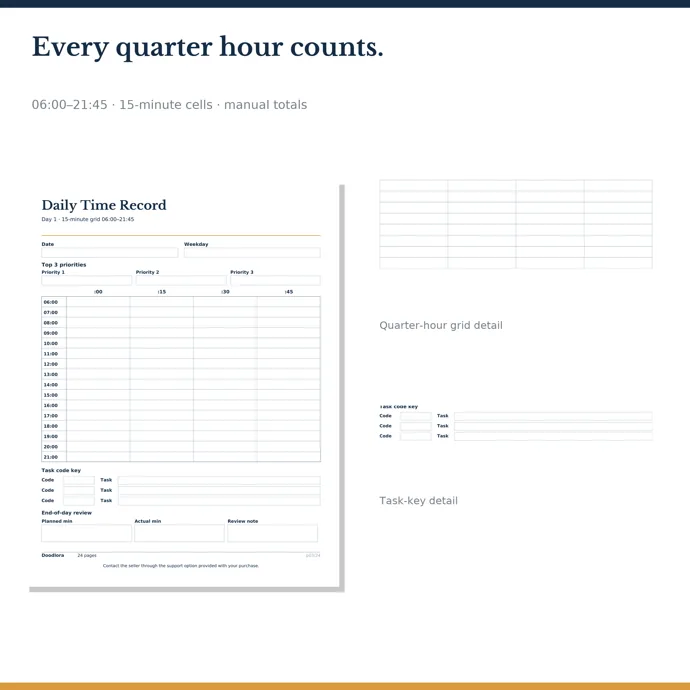
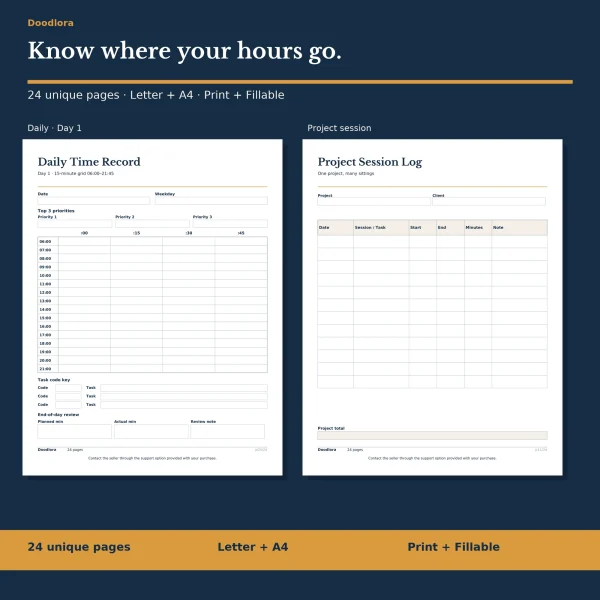
Our time log printable is built for this check. Its daily record has a grid of quarter-hour cells from 06:00 to 21:45, and you write a short task code in each cell instead of a sentence. Here are the parts that matter for time blocking:
- Task code key: three lines under the grid to say what each code means. If your day needs more than three codes, keep the full list on one of the notes pages and use the same codes every day.
- End-of-day review: planned minutes, actual minutes and a review note. This is the block check from step 7, in numbers.
- Planned vs. actual page: the Day 3 record adds plan code, plan minutes, actual minutes and variance columns, which shows which kind of task you underestimate.
- Interruptions page: the Day 4 record logs the time, what pulled you away, the minutes lost and a recovery plan.
- Weekly review: a box for where the time leaked and space for three time rules for next week.
The file doesn’t total anything for you, so add each day’s minutes by hand or with a calculator. Print at 100% or actual size with fit-to-page turned off, so the quarter-hour cells keep their size. If you use the fillable version, save, close and reopen the file once to check that your entries stayed before you print.
If your long blocks are worked in 25-minute rounds, the focus session log tracks that layer instead. Its rounds page has 12 boxes of 25 minutes each with a done mark, and its estimated vs. actual page compares the minutes you guessed with the rounds you finished. More of our printable trackers and checklists cover habits, routines and other daily records.
Frequently asked questions
Is time blocking the same as timeboxing?
They’re close relatives. Time blocking reserves a slot on the calendar for a task. Timeboxing, as Wikipedia describes it, puts a fixed upper limit on the time an activity gets, so when time runs out, the remaining work is cut or moved. Most people who time block well use both ideas: a reserved slot with an end they respect.
How long should a time block be?
Match the block to the task. Deep, thinking work usually suits 60 to 120 minutes, admin batches 30 to 45 minutes, and a quick review or setup 10 to 20 minutes. Blocks shorter than 15 minutes are better grouped into one admin block.
Does time blocking work if my job is mostly reacting to requests?
Yes, with bigger response blocks. If you work in support, scheduling or a front desk role, block the reactive hours as “requests” and protect one or two smaller blocks for the work that only you can move forward. Even one protected hour a day adds up over a week.
Printables from this article
Related articles
Printable Trackers & Checklists
Refrigerator Temperature: Fridge and Freezer Settings
Keep the fridge at 40°F (4°C) or below and the freezer at 0°F (-18°C). The dial can't tell you that, so put a thermometer in each, read it at a set time, adjust in small steps and know what to keep or toss after a power outage.
Printable Coloring Pages
Types of Christmas Trees: Fir, Spruce, Pine, Real vs Fake
Most real Christmas trees sold in the US are firs, spruces, pines or cypress. Firs have soft needles and the strongest scent, spruces have stiff branches for heavy ornaments, pines hold their needles longest, and Leyland cypress has almost no scent. Here is how each one looks, smells and lasts, and how to keep it fresh and safe.
Printable Invitations & Cards
Sweet 16 Wishes: What to Write in a 16th Birthday Card
A good sweet 16 wish names what sixteen actually brings, like a license, a first job or a later curfew, and says one true thing about the teen. Here are wishes sorted by who is signing the card, from parents to a coach, plus a section for boys and a list of lines to keep out of a post.