 1 / 8
1 / 8
Ocean Wave Dolphin SVG in Teal and Navy
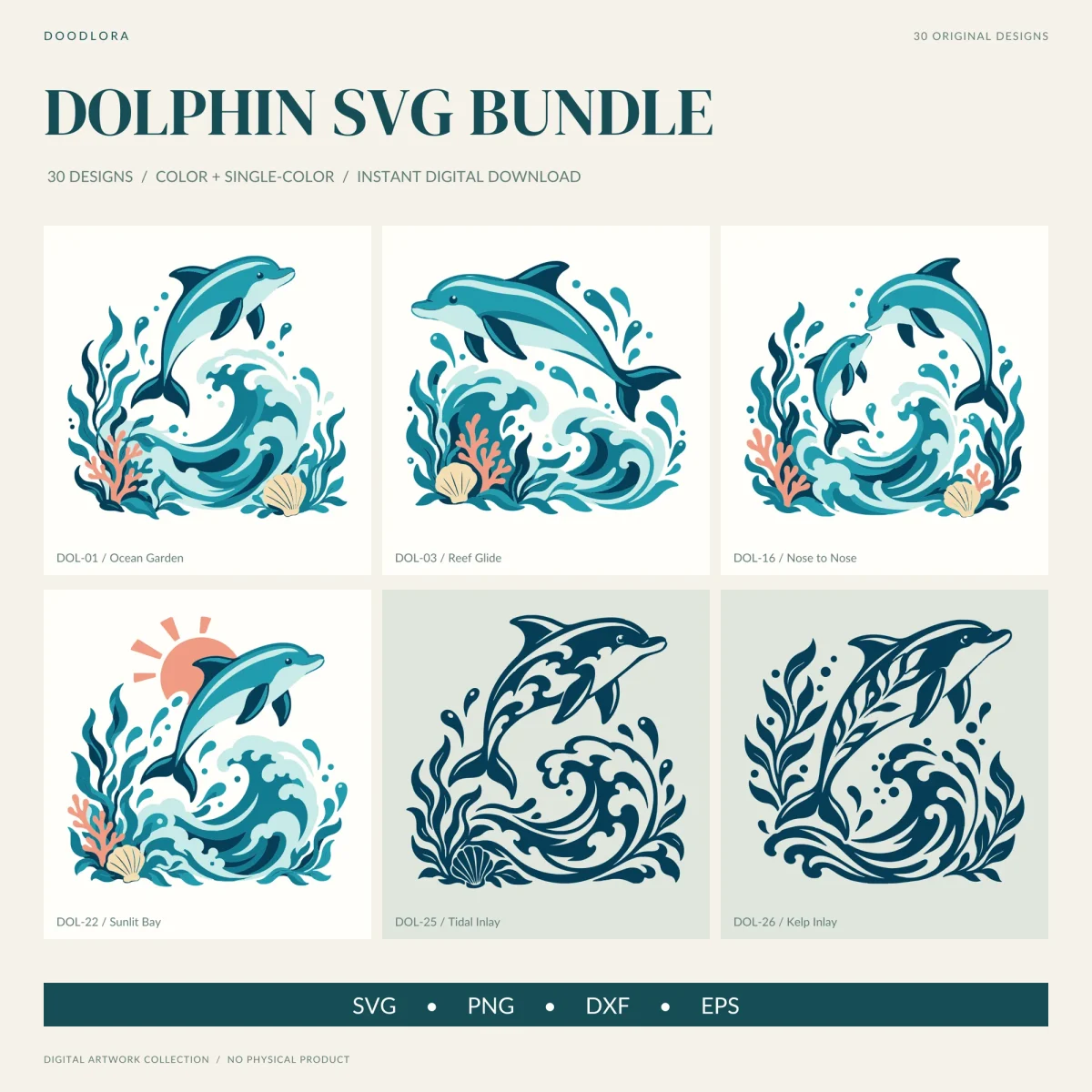
Thirty small ocean scenes in teal, navy and seafoam, most built around a dolphin arcing over a curling wave with kelp, coral and a scallop shell at its base. Each design comes in a six-color version and a one-color navy version, in SVG, PNG, DXF and EPS.
$4.99
Buy any 3 or more printables and save 20% at checkout.
- Download right after payment — link works for 30 days, up to 5 downloads
- Files arrive as a ZIP with your license PDF inside
- Secure checkout by Stripe · Refund policy
Every design in this dolphin SVG set is a small ocean scene rather than a lone dolphin. In most of them a dolphin arcs over a curling wave, kelp rises on both sides, and a branch of coral and a scallop shell sit at the bottom, all fitting a rounded, roughly square shape. The palette stays the same across all 30: navy, two teals, pale seafoam, coral and sand.
How the 30 scenes differ
The guide sorts them into groups. The ten poses change what the dolphin is doing: diving head down, turning in a crescent, flicking its tail, or swimming with a second dolphin, including a calf following a larger dolphin and a synchronized leap. The six character scenes are close relatives, among them a sleepy calf stretched out flat above the water and two dolphins nose to nose. Of the four emblems, one adds a coral-colored sun behind the dolphin.
The navy designs work differently. The four outlines turn a dolphin scene into one dark shape where thin white gaps draw the eye, fins and the curl of each wave. The four inlays fill the dolphin’s own body with a pattern cut out of the navy: rolling waves, kelp leaves, a shell’s ribs or branching coral. The last two designs, a bubble splash and a curling wave, have no dolphin at all and are there as accents.
Color layers and the navy edition
In the color SVGs, every design is split into named layers for its colors: ink, sea, deep, foam, coral and sand. That makes it easy to hide the coral, swap the seafoam for another shade, or pull one color out to cut on its own; the DXF files keep the same split with one layer per color. The mono edition merges each scene into a single navy shape, and the pale seafoam areas become openings, so whatever is underneath shows through. The outlines and inlays are already navy, so their two editions match.
Sizes from the guide
The guide gives layout starting points: 10 to 11 inches wide for an adult shirt, 7 to 8 inches for a youth shirt, 3 to 4 inches high on a cup or tumbler, and 5 to 6 inches wide for a decal. For the inlays it suggests starting detailed cuts at 8 inches wide and keeping every opening at least 0.04 inch (1 mm) across at the final size. Small highlights, droplets and decorative lines are the details it says to remove when they’re too small for your material. The guide also says plainly that checking a file on screen doesn’t replace a test cut in your material.
The PNGs are 3600 pixels square with 300 dpi in the file data and a margin around the art. The DXF files are drawn on a nominal 12 x 12 inch canvas, but some programs read the units differently, so check the size after import.
Questions
- Do the outline and inlay designs come in color?
- No. The four outline designs and the four inlay cutouts are navy in both editions, so their color and mono files are the same artwork.
- Which designs have no dolphin?
- The last two, Ocean Bubbles and Wave Flourish, are wave and bubble accents with no dolphin, meant to sit beside the other designs.