 1 / 8
Refrigerator Temperature Log in Fahrenheit and Celsius with Freezer Log and Temperature Incident Record
Month-long sheets for writing down fridge and freezer readings twice a day, with a column for initials and one for the action taken. Separate Fahrenheit and Celsius pages mean nobody has to convert at the clipboard.
$2.99
Buy any 3 or more printables and save 20% at checkout.
- Download right after payment — link works for 30 days, up to 5 downloads
- Files arrive as a ZIP with your license PDF inside
- Secure checkout by Stripe · Refund policy
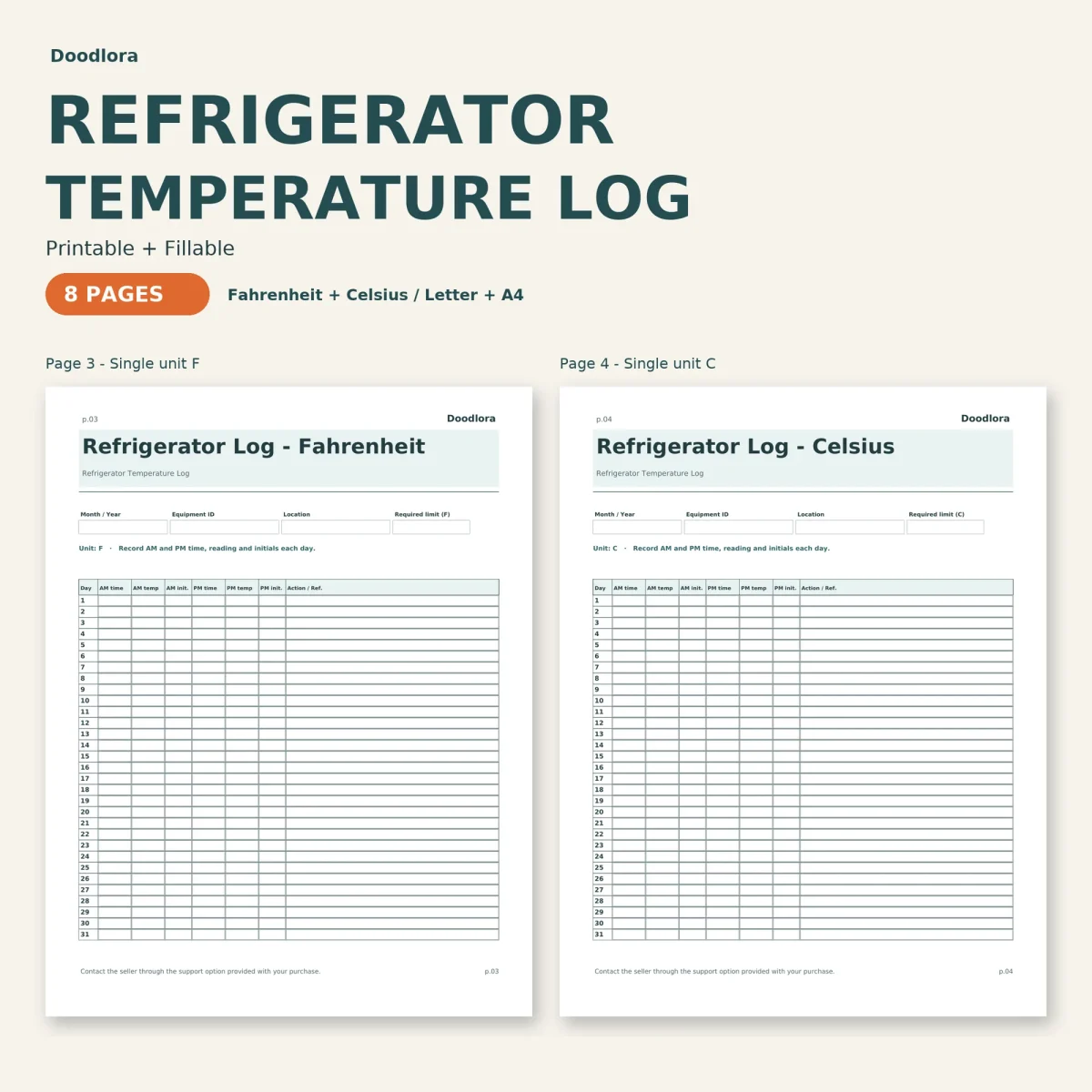
One sheet covers one appliance for one month. Down the left are the days 1 to 31, and across each row are a morning and an evening check: the time, the temperature and the initials of whoever read the thermometer, followed by an Action / Ref. column. In a month with fewer than 31 days you cross out the extra rows.
Choose the page by unit and by number of fridges
The refrigerator log comes twice, once printed for Fahrenheit and once for Celsius, so the unit is never in question when someone new fills it in. The two-unit pages, also in both units, put two appliances side by side. Their header has an equipment ID and a required-temperature box for U1 and for U2, plus set AM and PM check times, and each day row then carries four readings with four sets of initials. For a third or fourth unit, the how-to page says to print more copies.
The freezer log follows the single-unit layout but leaves the unit blank, so you write F or C at the top.
You fill in the limits
None of the log pages print a target temperature. Every header has a box for the required limit, and the how-to page asks you to enter the figure set by your local health department or your own procedure before the month starts. The cover lists small food businesses, child-care kitchens and home records as the settings the log was made for.
When a reading is out of range
The last page is a temperature incident record for one event: date, time, equipment, location, the reading and its unit, the required limit and who checked it. Larger boxes follow for the issue you noticed, the immediate action taken, the responsible person, a recheck with its own time and reading, follow-up notes and a supervisor review. Give the incident a number and write that number in the Action / Ref. column on the day it happened, so the daily sheet points to the full record.
Printing and filling in
Use your printer’s 100% setting rather than shrinking the page. The color files have dark teal headings and a pale aqua tint behind the titles and column headers; the ink saver files drop that tint and print the same tables in grays on white. In the fillable PDFs you can type every reading, save the file and reopen it later in the month. Nothing converts between Fahrenheit and Celsius automatically, so record values in the unit printed on the page.