 1 / 8
Sign Out Sheet Printable: Classroom, Childcare Pickup, Equipment Checkout and Visitor Logs
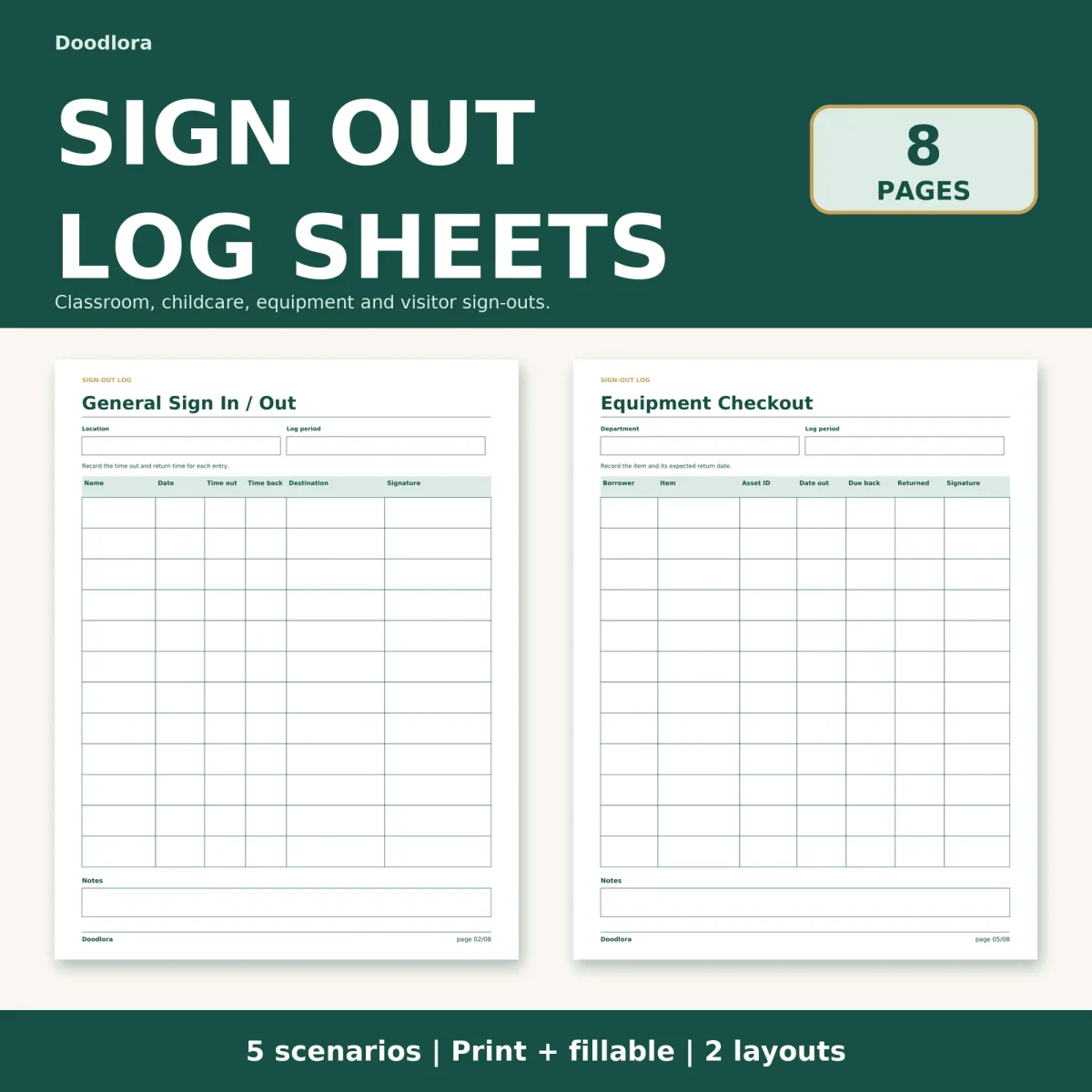
Five different sign-out logs in one download, each built for a single setting, from a hall pass record to a tool lending sheet. Every page comes portrait or landscape, and the fillable versions let you type straight into the rows.
$2.99
Buy any 3 or more printables and save 20% at checkout.
- Download right after payment — link works for 30 days, up to 5 downloads
- Files arrive as a ZIP with your license PDF inside
- Secure checkout by Stripe · Refund policy
A clipboard by the door only works if the columns match what you need to know later. This sign out sheet printable gives you five separate logs, so the front office, the classroom, the pickup line and the supply closet each get a page with the right headings instead of one generic grid.
The five logs
| Page | Header boxes | Columns on each of the 12 rows |
|---|---|---|
| General sign in / out | Location, log period | Name, date, time out, time back, destination, signature |
| Classroom sign out | Teacher or class, room | Student, date, time out, time back, destination, initials |
| Childcare pickup | Group or room, date | Child, pickup person, relationship, time out, signature, verified |
| Equipment checkout | Department, log period | Borrower, item, asset ID, date out, due back, returned, signature |
| Visitor sign in / out | Location, log period | Name, organization, date, time in, time out, purpose, signature |
The classroom page prints “Restroom / Office / Library” under the header as the usual destinations, and it asks for initials rather than a full signature. The childcare page carries a reminder to check the authorized pickup person and not to write down ID numbers, and its last column is a checkbox you tick once the adult picking up has been confirmed against your own list. Each log also has a notes box at the bottom.
Keeping track of what hasn’t come back
Two support pages sit behind the logs. Open Returns & Follow Up lists the name or item, the date it went out, when it was expected back, whether it was returned and the follow-up action, with a Done box per row. It is the page to fill in at the end of a week when a laptop or a library cart is still missing. Notes & Handover has three open boxes for important notes, items to follow up and the next shift handover, which suits a reception desk that changes hands mid-day.
Portrait or landscape, and three palettes
Portrait and landscape hold the same 12 rows; landscape simply gives every column more width, which helps on the equipment and visitor pages where item names and organizations run long. The color files use deep green headings with a pale green band behind the column titles, the monochrome files are gray only, and the neutral files pair dark brown text with a beige band. All three keep a white page, so a ream of plain copy paper is fine. Print at Actual Size (100%) so the rows don’t shrink.
In the fillable PDFs you can type names into the signature column or leave it blank and sign the printout by hand. The Start Here page suggests saving a copy and reopening it to check that your typed entries stayed put.