 1 / 8
Workplace Safety Inspection Checklist: 8 Area Checklists, Hazard and Corrective Action Log and Sign-Off
A walk-through checklist that splits the workplace into eight areas, from exits and fire extinguishers to chemical storage and desk setup, with every item answered Yes, No or N/A. Anything marked No moves to a hazard log with an owner and a due date.
$2.99
Buy any 3 or more printables and save 20% at checkout.
- Download right after payment — link works for 30 days, up to 5 downloads
- Files arrive as a ZIP with your license PDF inside
- Secure checkout by Stripe · Refund policy
The inspection starts on a master page with the inspection ID, location, date, inspector and an overall status, followed by a summary line for each of the eight areas and a box to list the hazard log IDs that came out of the walk. Then you take the area pages around the building one at a time.
What each area page checks
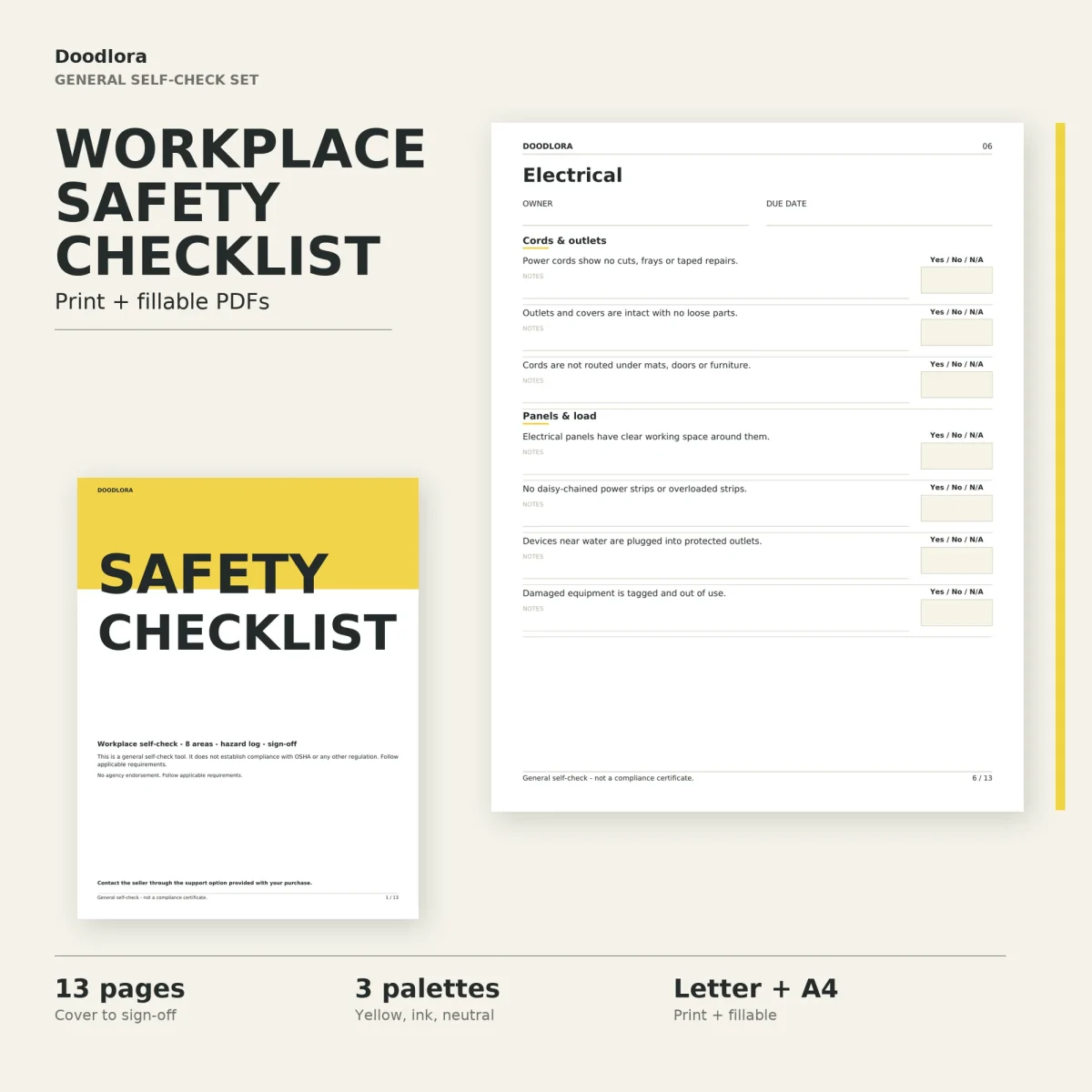
Every area page has an owner and a due date at the top and splits its items under two short headings. Each item is a plain statement with a Yes / No / N/A box and a notes line underneath.
| Area | Headings | Examples of the items |
|---|---|---|
| Walkways & exits | Routes & clearance, Exits | Exit doors open freely; exit signs are lit; stairs have a handrail |
| Fire equipment | Extinguishers, Detection & alarms | Gauge in the normal range with the pin in place; sprinkler heads have clear space; fire doors close on their own |
| Electrical | Cords & outlets, Panels & load | No daisy-chained power strips; panels have clear working space; damaged equipment is tagged |
| Machinery & tools | Guards & controls, Condition & storage | Guards on moving parts; emergency stops reachable; lockout steps posted for repair work |
| Chemical storage | Labels & data, Storage & handling | Safety data sheets reachable; chemicals away from food and drink; spill kit stocked |
| First aid | Kit contents, Access & awareness | Contents in date; kit unlocked; emergency numbers posted |
| Personal protective equipment | Availability, Condition | Right sizes on hand; spares for visitors; damaged PPE replaced |
| Office ergonomics | Workstation, Comfort & space | Screen top near eye level; wrists straight while typing; regular stretch breaks |
Walkways and exits has six items; the other seven areas have seven each.
From a No to a fix
The answer key on the how-to page is short: Yes means satisfactory, No means it needs follow-up, N/A means the item doesn’t apply in that area. Every No goes onto the Hazard & Corrective Action Log, where each finding gets an ID and location, the hazard or observation, the immediate or corrective action, a priority, an owner, a due date and a follow-up status with the date it was confirmed done. The log fits three findings per page, and it says to print extra copies when a walk turns up more. The last page is a sign-off with an acknowledgment, unresolved items, review notes, and a name, role, signature and date.
Printing and the fillable files
Print at 100% and try one page first. The yellow set puts a bright yellow block on the cover and pale cream answer boxes inside, the neutral set swaps those for warm gray, and the ink saver set keeps the answer boxes white with black text. In the fillable PDFs each answer box is a drop-down menu with Yes, No and N/A, and the notes lines take typed text. Save a copy, then reopen it to make sure your entries were kept.