 1 / 8
Purchase Order Log: Monthly PO Registers, Supplier Directory, Delivery Follow-Up and Returns Record
A written register for purchase orders you have already placed, one order line per row, with columns for what was ordered, what arrived and where payment stands. Supplier contacts sit at the front and a returns page catches short or wrong deliveries.
$2.99
Buy any 3 or more printables and save 20% at checkout.
- Download right after payment — link works for 30 days, up to 5 downloads
- Files arrive as a ZIP with your license PDF inside
- Secure checkout by Stripe · Refund policy
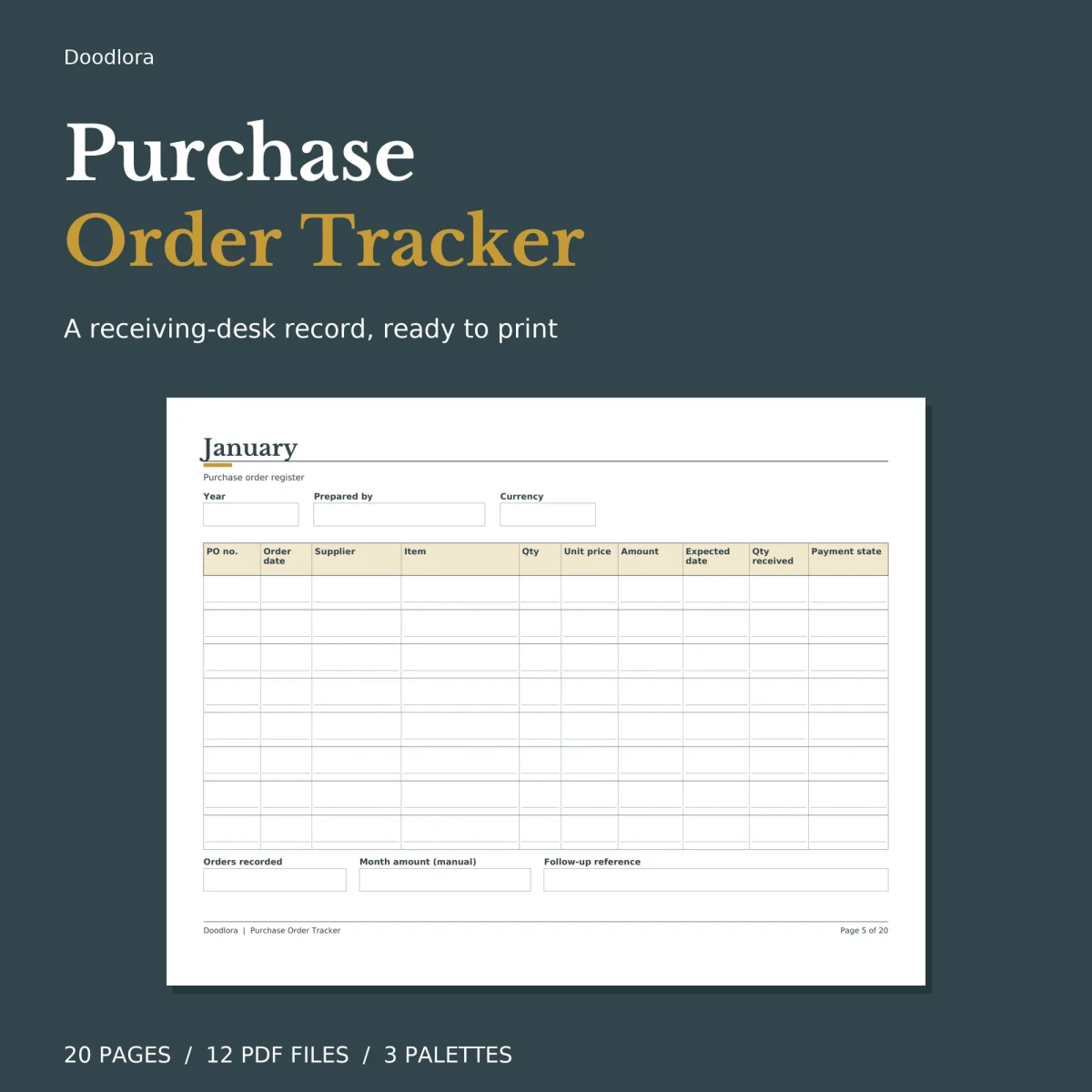
Each monthly page in this purchase order log is a register, not an order form: you write down a PO after it has gone to the supplier, then come back to the same row when the goods turn up. The columns run across a landscape page in that order of events: PO number, order date, supplier, item, quantity, unit price, amount, expected date, quantity received and payment state.
One row per order line
The how-to page asks for one line per item, so an order with three products takes three rows with the same PO number repeated. That keeps a partial delivery easy to spot, because the quantity received sits right beside the quantity ordered on the same line. Payment state is a short word you fill in yourself, and the guide suggests Pending, Partial, Paid or On hold. Each register holds 8 lines, and under the grid are boxes for the number of orders recorded that month, the month’s amount and a follow-up reference. There is also a currency box at the top of every register, so the log works in whatever currency you buy in.
Nothing on these pages adds up by itself. Totals on the registers and the annual summary are written by hand, and the fillable PDFs contain no calculations or scripts.
When a delivery is late or wrong
- Pending delivery follow-up has 8 rows for orders still on the way: PO, supplier, expected date, last update, who is chasing it, next step, state and the date of the next check.
- Returns and discrepancies gives three boxed cases, each with expected and received quantity, the issue or difference, the next action, an owner and a review date.
- Annual summary lists January to December with columns for PO count, amount, received records, pending notes, review date and owner.
The supplier directory up front holds eight suppliers with contact, phone, email and an order reference. For the two you deal with most, the contact details page has bigger slots with an account reference, a preferred channel and lines for delivery or receiving notes.
Paper, palettes and filling in
All 20 pages are landscape, in US Letter and A4. The color files use a cream band behind the column headings with gold accents, the neutral files swap that for a soft greige, and the ink saver files drop the shaded band altogether and print in gray lines on white. Keep the print scale at 100% so the eight lines per register don’t shrink. For the fillable versions, use a PDF reader that handles forms and keep a saved copy of the file you type into.