 1 / 8
Printable Inventory Sheets: Item Master, Incoming and Outgoing Stock, Stocktake and Reorder Forms
A paper stock-control set where every arrival, every sale or transfer and every count gets its own sheet, tied together by SKU and reference numbers. Nothing is calculated for you, which keeps each figure where you can see who wrote it.
$2.99
Buy any 3 or more printables and save 20% at checkout.
- Download right after payment — link works for 30 days, up to 5 downloads
- Files arrive as a ZIP with your license PDF inside
- Secure checkout by Stripe · Refund policy
Stock comes in, stock goes out, and once in a while somebody counts the shelf to see whether the two agree. These printable inventory sheets give each of those jobs a separate log, so receiving, sales and counts never share a page. Most sheets open with a shop or site box and a date or period box, and an SKU column runs through every table, which is what lets you follow one item from the item master to its last count.
Recording stock as it moves
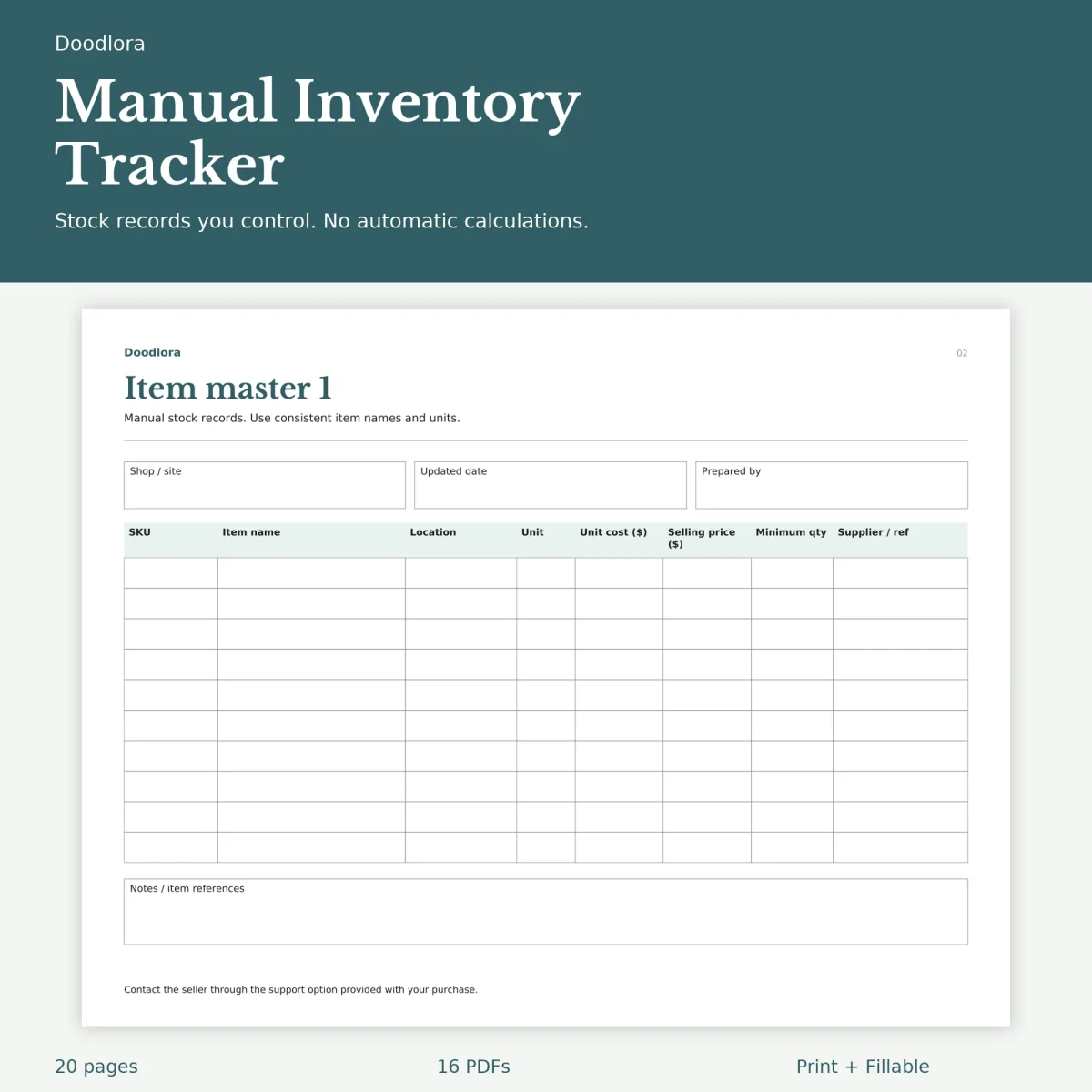
The item master holds the facts that stay put: SKU, item name, storage location, unit, unit cost and selling price in dollars, a minimum quantity and a supplier reference. Two of these pages give you room for 20 items.
Arrivals go on the incoming stock logs, one row per delivery, with the quantity in, who it came from, a receipt reference, who received it and where it was put. The outgoing logs mirror them with quantity out, an order reference, a To / channel column for where the stock went, and who released it. There are four of each, numbered 1 to 4, and every one has a record reference box in the header for your own numbering.
Stocktakes and reorders
A stocktake sheet lists each SKU with the quantity you expected and the quantity you counted. The printed rule at the top is difference equals counted minus expected, so a shortfall shows as a negative number. A checked-by column and an action or reference column let you note an adjustment instead of quietly changing the figure.
When something runs low, the reorder request is a tall portrait form you can hand to whoever places orders: supplier, request date, order reference, six lines with on-hand and order quantities, unit cost and line total, then subtotal, shipping and total boxes, delivery instructions, an approval line and an order status.
The annual summary tracks a single SKU from January to December, opening quantity to closing quantity, with columns for in, out and adjustments. The custom stock log leaves its six column headings blank, with ten rows under them, for a record the other sheets don’t cover.
Files and printing
Most pages are landscape, so each version comes as two PDFs: an 18-page landscape file and a 2-page portrait file with the reorder forms. Print at actual size. The color files use dark teal titles with a pale teal table header; the grayscale files turn both to gray. In the fillable files every table cell is a typing box, but totals and differences are still yours to work out, and the guide suggests saving a fresh copy for each period.