 1 / 8
Office Cleaning Checklist – Commercial Cleaning Forms for Offices, Restrooms, Breakrooms and Lobbies
Daily zone lists with a status and initials box beside every task, plus the paperwork that keeps a cleaning crew coordinated, from shift handoff to supply reorders and repair reports.
$2.99
Buy any 3 or more printables and save 20% at checkout.
- Download right after payment — link works for 30 days, up to 5 downloads
- Files arrive as a ZIP with your license PDF inside
- Secure checkout by Stripe · Refund policy
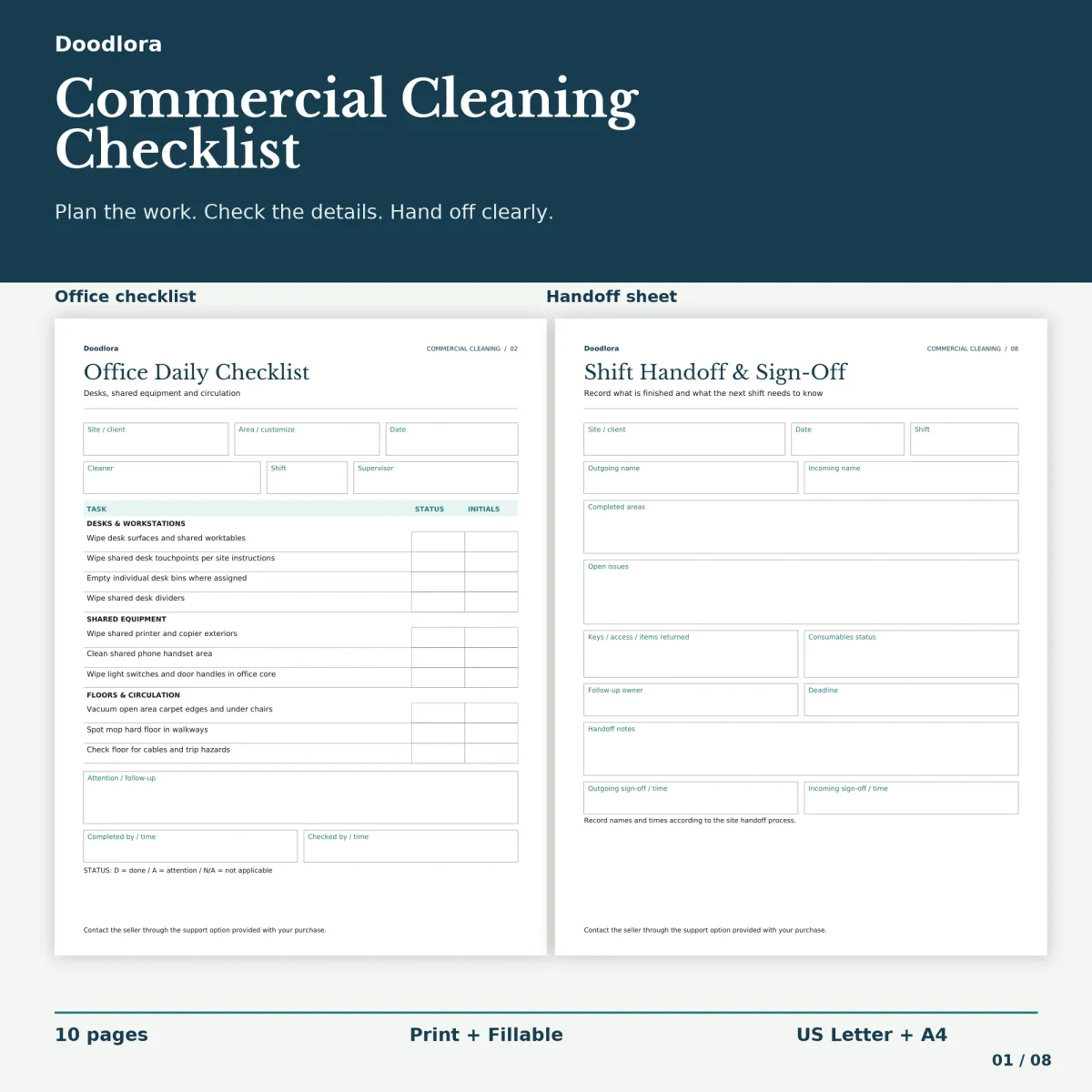
Four daily forms sit at the center of this office cleaning checklist, one each for the open office, restrooms, the breakroom and kitchen, and the lobby and reception. Each lists ten tasks under three headings. The office sheet, for example, groups desks and workstations, shared equipment, and floors and circulation, so the printer and copier exteriors, the phone handsets and the door handles sit together instead of being scattered down the page. Beside every task are two boxes, one for a status code and one for the cleaner’s initials.
How a shift fills them in
The guide page sets out three codes for the status column: D for done, A for attention and N/A for not applicable. Anything marked A goes into the attention box at the foot of the sheet, and the bottom row takes “completed by” and “checked by” times, so a supervisor can sign off a zone after the cleaner. The header asks for the site or client, an area name, the date, the cleaner, the shift and the supervisor, which lets one set of forms serve several buildings.
The tasks themselves are printed, not typed, in both versions. In the fillable files you type the header details, the area name, codes, initials and notes; the task wording stays as it is.
Beyond the daily lists
- Weekly and monthly deep clean. Six weekly jobs such as air vents and interior door glass, and six monthly ones such as restroom grout lines and window sills, each with a schedule, who it’s assigned to and a status.
- Frequency matrix. A landscape page that shows daily, weekly and monthly actions side by side for offices, restrooms, the breakroom, the lobby, meeting rooms, hallways and storage, with an owner column and one blank row for an area of your own.
- Shift handoff and sign-off. Outgoing and incoming names, completed areas, open issues, keys and access, consumables status and two sign-off lines.
- Supplies reorder log. Eight rows for item and location, on hand, reorder point, quantity requested, order date and received by.
- Issue and maintenance report. For one problem at a time, with its location, condition, the immediate action, a work order reference and who verified the fix.
Choosing a version
The color files use dark navy titles with pale teal header bands, and the grayscale ink saver files drop the color for plain gray. All eight PDFs carry the same ten pages in US Letter or A4. The guide suggests printing at 100% and, for the fillable version, saving a separate copy for each site. Cleaning products, cycles and repair routing are left to your site plan and supervisor; the sheets give you a place to write them down.