 1 / 6
KPI Tracker Printable: Metric Definitions, 12 Monthly KPI Records, Quarterly Reviews and Improvement Actions
A written KPI record for a small team that tracks up to six measures, defined once on paper and then checked against target every month. Quarterly reviews and an action log turn the gaps into named owners and due dates.
$2.99
Buy any 3 or more printables and save 20% at checkout.
- Download right after payment — link works for 30 days, up to 5 downloads
- Files arrive as a ZIP with your license PDF inside
- Secure checkout by Stripe · Refund policy
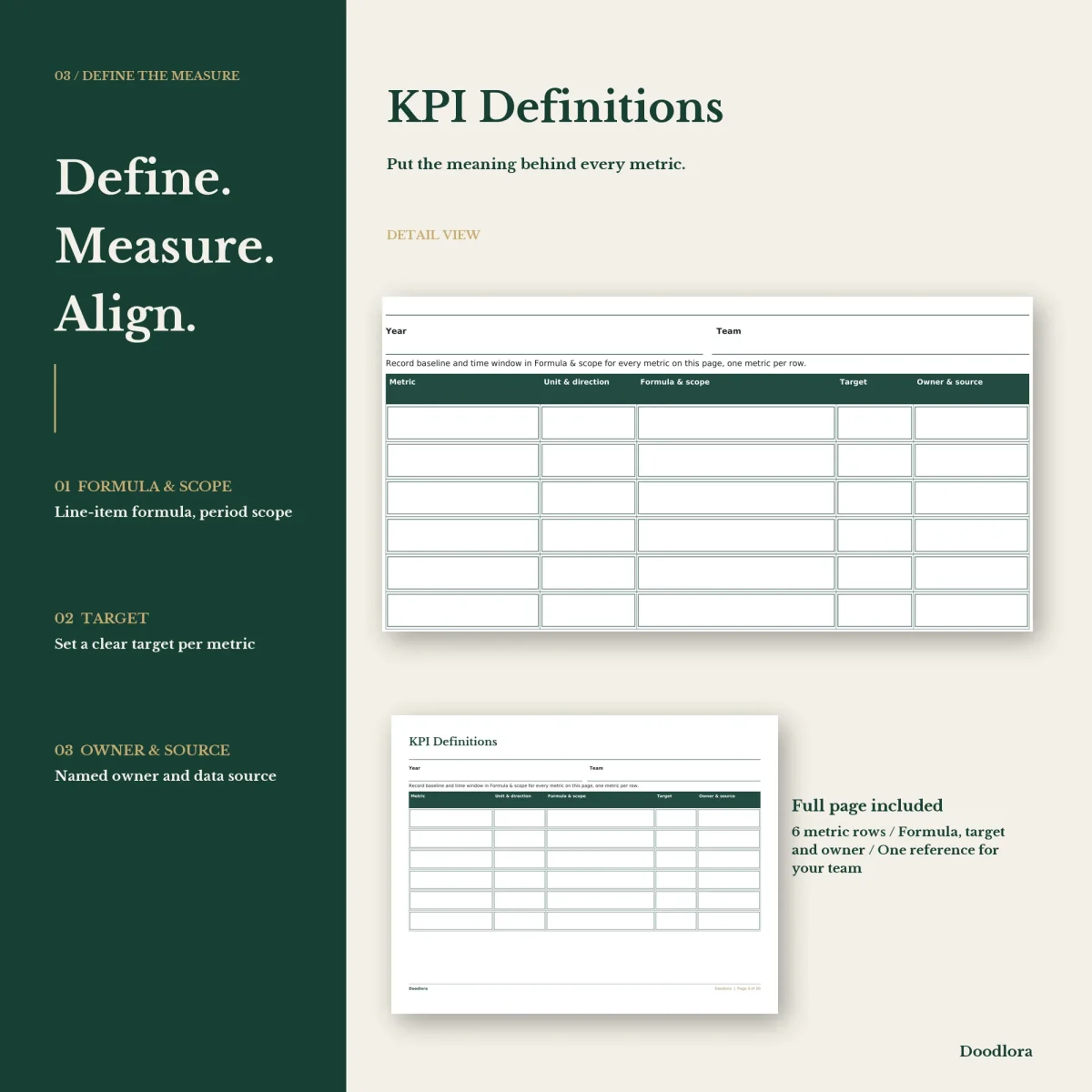
Most KPI tools start with a dashboard. This KPI tracker printable starts with a definition. Before a number goes on any monthly page, the guide asks you to write down what the metric is, its unit, which direction counts as better, the formula and time window, where the data comes from and who owns it. The definitions page has six rows for that, and the guide suggests picking four to six measures, each with a baseline from a comparable period and a target in its own column.
What a month looks like
Each monthly record repeats the same six metrics with a target, the actual result, a gap or status note and an owner. Below the table are two boxes: context, for anything that explains the number, and agreed next steps. The review year, review date and owner sit at the top.
Nothing is charted or calculated. You copy each month’s actual figure onto the annual overview, a landscape grid with a row per metric and a column per month, which becomes the one page that shows the whole year’s trend in your own handwriting.
Quarters and follow-through
The quarterly reviews fit two quarters on a page. For each quarter you pick three focus metrics, name a review owner, then record target, actual, context and an action with an owner for each, finishing with the date and time of the next review. Anything that needs real work moves to the improvement actions log: the action, which KPI it serves and why, owner, due date and the evidence you will look at to judge it. A blank spare page with its own title line closes the set.
Choosing your files
There are two versions of the twelve month pages. One keeps them portrait, with the notes boxes stacked; the other turns them landscape, with context and next steps side by side. All other pages are the same in both, and the definitions page and annual overview are landscape in either version. The paper size is in each file name. The green and gold palette has dark green table headers, the black and white palette outlines them instead of filling them, and the neutral palette uses a gray-brown. Print at 100% and try one page first, as the guide recommends.