 1 / 8
Invoice Tracker Printable: Monthly Invoice Registers, Overdue Follow-Up Log and Client Directory
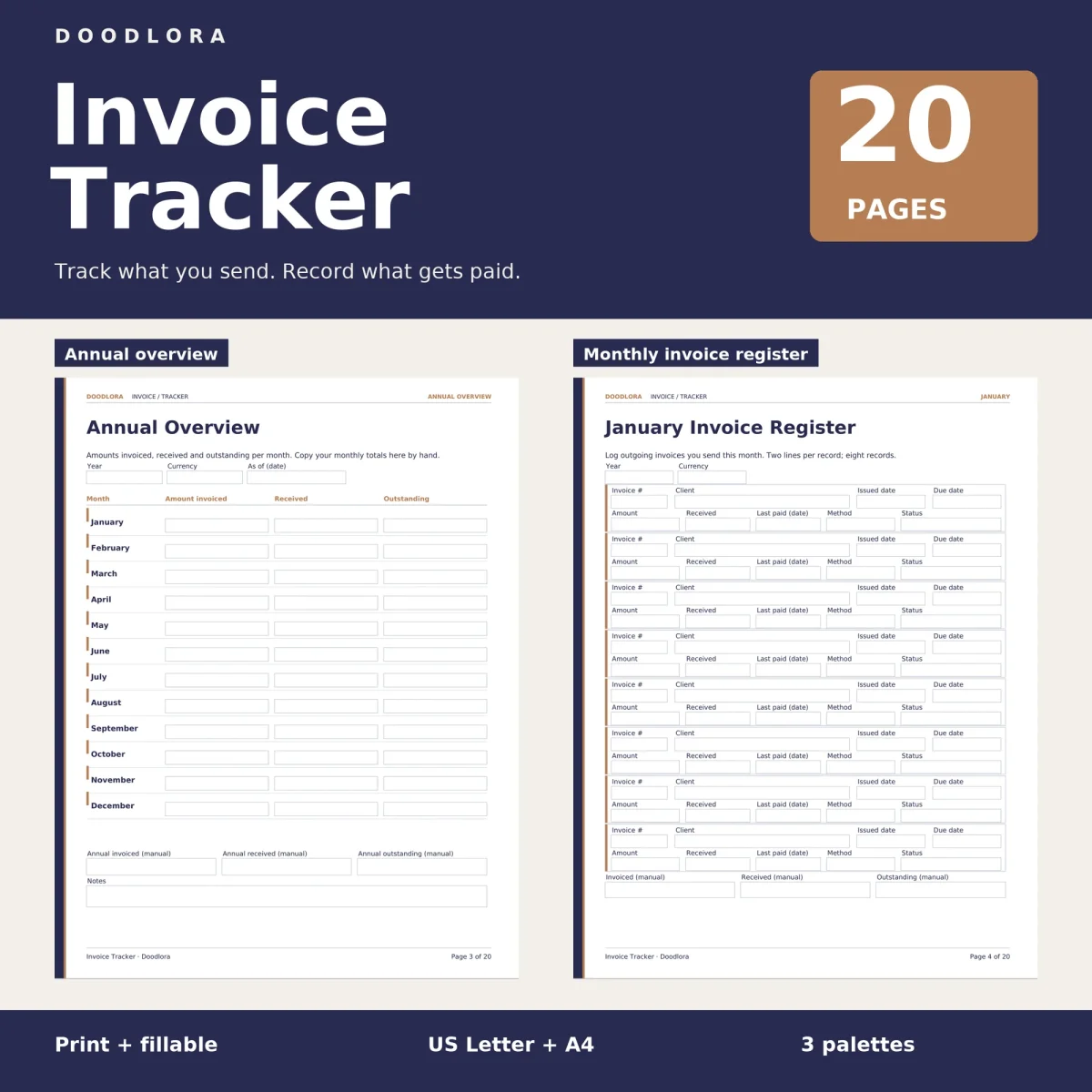
A paper ledger for invoices you have already sent, built around one register per month with room for partial payments and a status for every invoice. Overdue invoices move to their own follow-up page, so chasing a payment has a written trail.
$2.99
Buy any 3 or more printables and save 20% at checkout.
- Download right after payment — link works for 30 days, up to 5 downloads
- Files arrive as a ZIP with your license PDF inside
- Secure checkout by Stripe · Refund policy
Sending an invoice is the easy part. Knowing a month later which ones were paid, which were paid in part and which need a polite nudge is what this invoice tracker printable is for. It records outgoing invoices only, the ones you issue to clients, and leaves the amounts, the currency and every total in your handwriting.
One register per month
Each monthly register takes eight invoices, and each invoice gets two lines. The top line holds the invoice number, client, issued date and due date. The second line holds the amount, how much has been received so far, the date of the last payment, the payment method and a status. That second line is what makes partial payments easy to follow: you update the received figure and the last-paid date instead of starting a new row. At the bottom of the page, three boxes take the month’s invoiced, received and outstanding totals, which you then copy onto the annual overview.
The how-to page suggests five status labels: Sent, Part-paid, Paid, Overdue and Void. In the fillable files the status box is a dropdown with exactly those five choices. Nothing turns an invoice overdue by itself, though. You decide when the due date has passed and change the label.
A thirteenth register leaves the month blank, so you can print extra copies for any month that needs more than eight rows.
When a payment is late
The overdue follow-up log gives five invoices a block each: invoice number, client, balance due, the date you made contact, how you made it, a next review date, a status, and a line for the agreed next action. The page header asks you to keep the wording neutral and factual.
The client directory holds six clients with a reference, email, phone or contact note and a box for invoice preferences. At the end of the year, the summary page lists up to four unresolved invoices with a next action for each and three checklist lines for comparing totals, reviewing unpaid invoices and keeping supporting records.
Palettes and printing
The color files have a navy cover band with copper accents, the black and white files swap the navy for black, and the neutral files use a warm charcoal brown. All pages are portrait. Print at 100% so the boxes line up; in the fillable files, type your entries, save a copy and reopen it to check that everything was kept.