 1 / 8
DevOps Checklist – Quarterly Practices Review for Small Engineering Teams
An 11-page review kit that walks a team through source control, CI, delivery, infrastructure as code, monitoring, logs, security and incident response, asking for a piece of evidence beside every ticked box and ending with three owned actions for the quarter.
$2.99
Buy any 3 or more printables and save 20% at checkout.
- Download right after payment — link works for 30 days, up to 5 downloads
- Files arrive as a ZIP with your license PDF inside
- Secure checkout by Stripe · Refund policy
A ticked box means little if nobody can point to what backs it up, and that idea runs through this whole DevOps checklist. Under every criterion there is an “Evidence / ref” line, and the guide page spells out what a check means: the criterion was reviewed and something concrete supports it. An empty box simply marks it for another look next quarter. A criterion that doesn’t fit your setup gets “NA” and a reason.
Eight practice areas, eight checks each
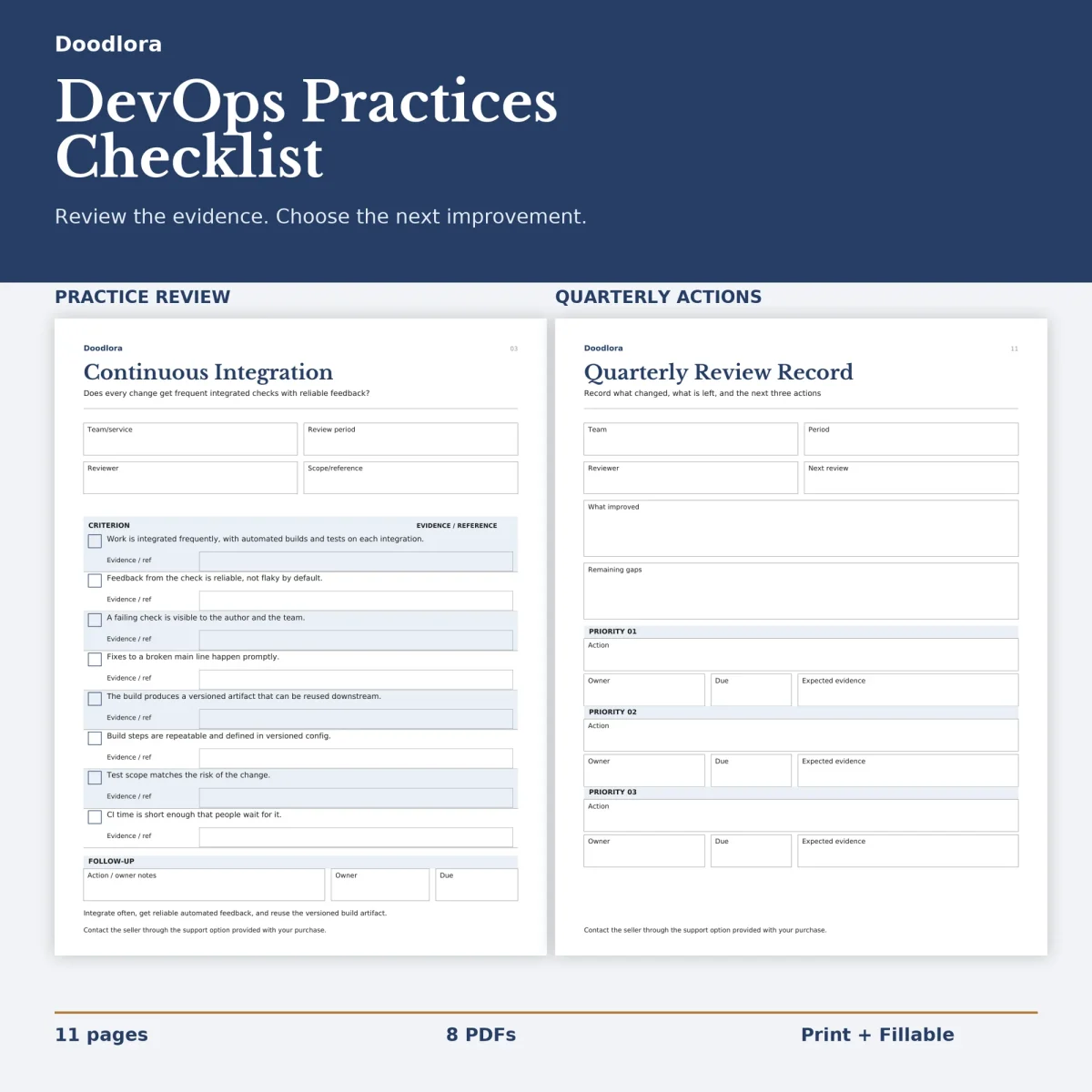
Each area gets one page with a short guiding question at the top, boxes for the team or service, review period, reviewer and scope, then eight criteria and a follow-up row for an action, an owner and a due date.
- Source control and branching – reviewed merges, a stable main line, few long-lived branches, release points you can find in history.
- Continuous integration – frequent integration with automated builds and tests, checks that aren’t flaky, a reusable versioned build artifact, CI fast enough that people wait for it.
- Delivery and deployment – a regularly deployable main line, rollback steps known before deploying, knowing which version is live.
- Infrastructure as code – versioned and reviewed infrastructure changes, protected and backed-up state, drift checks.
- Monitoring and alerts – alerts that reflect what users experience, each with a named owner, and regular cleanup of noisy ones.
- Logs and observability – enough context to follow one request, trace IDs across services, no sensitive values in logs.
- Security – secrets kept in a store rather than code or chat, least-privilege access reviewed on a schedule, scanned dependencies with owners for the findings.
- Incident response and learning – severity and timeline notes, clear roles, blameless reviews, follow-ups with owners.
The wording is vendor-neutral, so the pages fit whatever version control, CI or cloud tools your team already runs.
Rating and choosing what’s next
Page 10 lists the eight areas again with a rating box and an evidence box for each, on a scale of 0 Unknown, 1 Partial, 2 Repeatable and 3 Reviewed and improving. Nothing gets totaled and there is no pass mark; the ratings are the team’s own view. The last page records the quarter: team, period, reviewer, the next review date, what improved, what gaps remain, and three priority actions, each with an owner, a due date and the evidence you expect to see by then.
The guide suggests keeping the scope small, one service over one quarter, then picking no more than three improvements. Running it again the next quarter on a fresh copy shows what moved.
The color version uses navy headings with light blue-gray bands behind alternate criteria; the grayscale one swaps the blues for grays. All pages are portrait. In the fillable files you tick the boxes and type the evidence, ratings and actions on every page after the guide. Check that your PDF reader handles form fields before you send a filled copy around.