 1 / 10
Beaver Clipart: 30 Cartoon Beavers with Dams, Logs, Lodges, Silhouettes and River Sayings
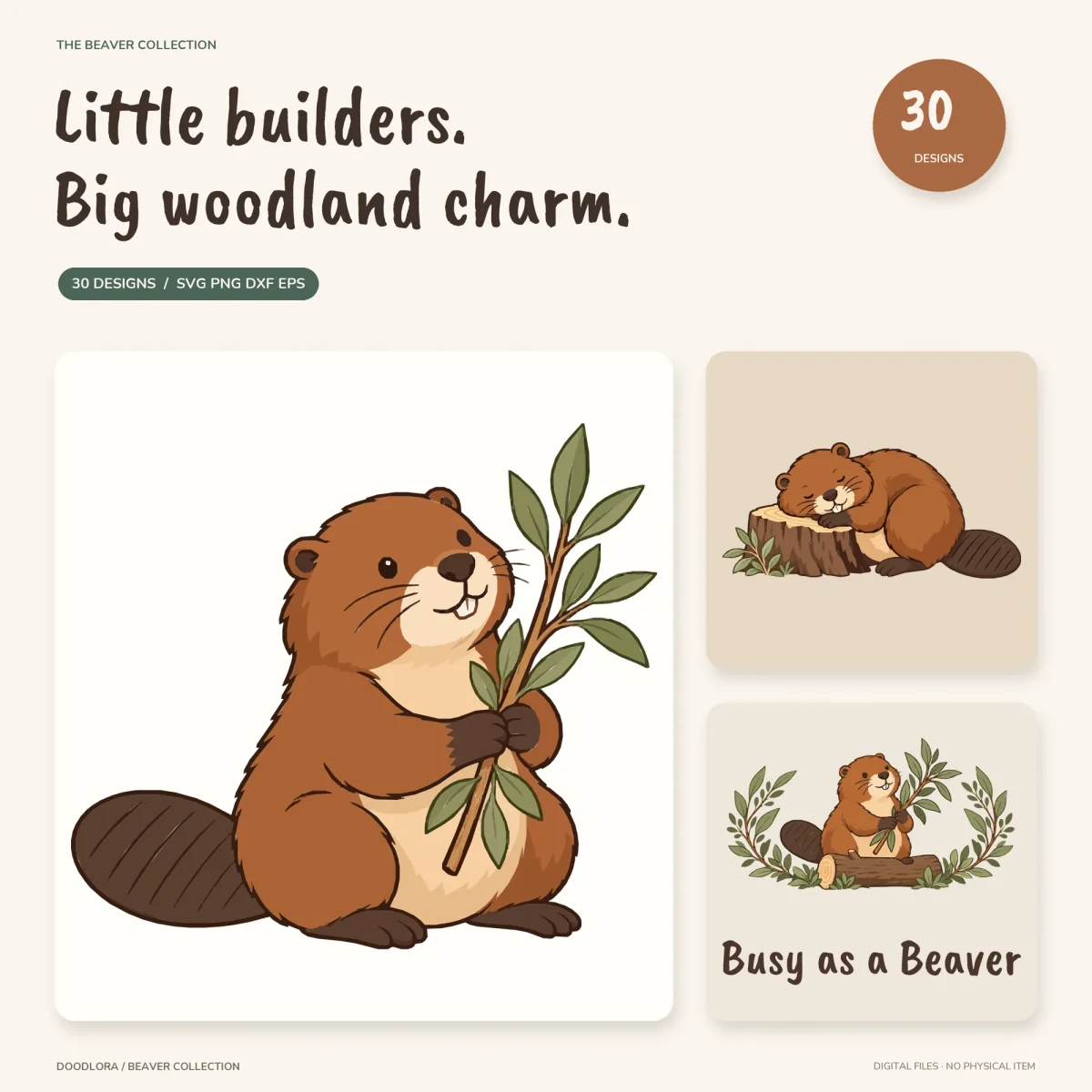
Thirty round, rust-brown cartoon beavers with buck teeth and flat paddle tails, napping on stumps, hugging willow branches and floating on their backs, plus four more lifelike poses, four silhouettes, the dam, lodge and logs they build with, and four short sayings. Each design also comes as a dark brown line version.
$4.99
Buy any 3 or more printables and save 20% at checkout.
- Download right after payment — link works for 30 days, up to 5 downloads
- Files arrive as a ZIP with your license PDF inside
- Secure checkout by Stripe · Refund policy
Soft, round cartoon shapes set the tone for this beaver clipart: rust-brown bodies, a cream muzzle and belly, two big front teeth, little round ears and a dark brown paddle tail marked with diagonal lines. Willow leaves in sage green show up all through the set, in the beavers’ paws, around the sayings and tucked behind logs, so the pieces sit together without any recoloring.
The beavers
Designs 01 to 10 are the busy ones. A beaver hugs a willow branch, gnaws a log down to chips, swims with just its head and tail above water, walks upright carrying a bundle of branches, and naps with its chin on a stump. Others stack small logs, float on their backs holding a leaf, sit with a sapling, carry a log upright and, in 10, fill the frame as a close-up nibbling a leaf.
Designs 11 to 14 slim the beaver down to more lifelike proportions: standing side-on, walking, sitting to groom its tail, and wading through shallow water. 25 is a beaver sitting with its back turned and its tail out in front, looking back over its shoulder.
The four silhouettes are standing, sitting with a stick, stretched out swimming and sitting upright gnawing a branch. The sitting one keeps its face, whiskers and teeth as cut-out lines; the other three are plain shapes.
Dams, logs and tracks
Six designs, 19 to 24, have no beaver in them: a dam of crossed logs and willow sitting in water, a domed stick lodge with a dark entrance, a log with a bite taken out and chips beside it, a tree stump with growth rings, two crossed willow branches with catkins, and a stack of three logs with a willow sprig across the top. Number 26 shows a beaver’s tracks, a large webbed hind print and a smaller front print, framed by willow.
The sayings
Each of the last four puts a short line of chunky dark brown lettering under a beaver scene:
- Busy as a Beaver, under a beaver on a log inside a willow wreath
- Made for the River, under a beaver swimming between two willow sprigs
- Little Builder, under a beaver holding a stick beside stacked logs and small white flowers
- Slow Days, Steady Work, under a beaver leaning on a stump in the water
The letters are already turned into shapes, so they open without any font.
The mono versions
Mono here means dark walnut brown (#4A3529), not black. It turns each scene into a line drawing: the outline and fur edges stay, most tails and the paws, eyes and nose are filled solid, and the body is left open so the background shows through. The color files are much busier, built from roughly 60 to 740 small color shapes each, and their DXF outlines follow every one of those patches. The mono DXF files hold far fewer outlines, from 1 to about 200, which makes them the place to start for a single-color cut.
The guide suggests 10 to 11 inches wide on a shirt front, 3 to 4 inches high on a cup and 2 to 3 inches for a small decal, and recommends starting detailed designs large and checking the gaps. Make a small sample on your own material before the final piece.
Questions
- Why do the silhouettes look the same in the color and mono folders?
- Designs 15 to 18 are already a single dark brown shape, so there's nothing to simplify. Every file for 15, 17 and 18 is an identical copy in both folders, and 16 is the same shape in both. They count once each in the 30.
- What size do the files open at?
- It depends on the format. The PNGs are 3600 pixels square, which is 12 inches at 300 dpi. The DXF files are drawn on a 10 inch canvas in inches. The SVGs have no unit, just a 1000 x 1000 grid, so each program picks its own size. Set the width you want after importing.