 1 / 8
1 / 8
Technology Coloring Pages: 30 Detailed Scenes of Electric Trains, Wind Power, Data Centers and Factory Automation
Thirty finely drawn scenes of technology at work in the real world, from a train crossing a stone viaduct to robots packing boxes and a buoy reading the sea. Every line-art page is followed by its own color version in the same PDF.
$3.99
Buy any 3 or more printables and save 20% at checkout.
- Download right after payment — link works for 30 days, up to 5 downloads
- Files arrive as a ZIP with your license PDF inside
- Secure checkout by Stripe · Refund policy
These technology coloring pages show the machines and systems behind everyday life, drawn as full, realistic scenes rather than single gadgets. There are no people in any of the 30 designs. Instead each landscape page is crowded with rails, cables, pipes, shelving and scenery, and the line work is fine enough to keep you busy for a long session.
Designs 01 to 15: moving people, power and signals
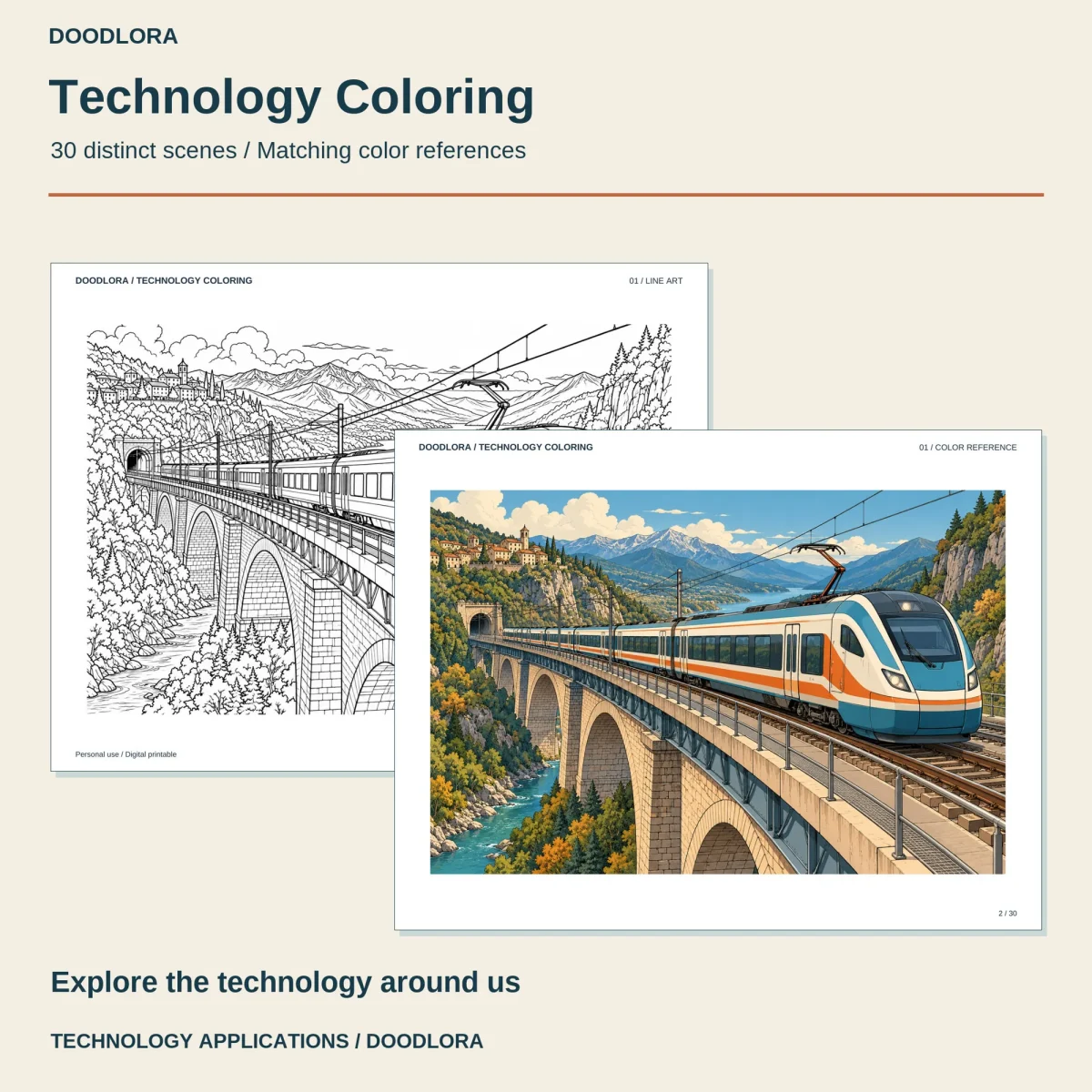
The first file is mostly outdoors and big in scale. It opens with an electric train crossing a stone viaduct, then a house with solar panels on the roof and a car in the carport, a 3D printer building a small model, an electric bus at a charging post and a gantry crane loading a container ship. After that come a barge in a canal lock, a small inspection robot on a suspension bridge walkway, wind turbines above a bay, a hydroelectric turbine hall, a geothermal plant in dry hills and a row of battery storage cabinets. The last four are a hall of large pipes and pumps, a communications tower on a hilltop, a narrow server room packed with cables and a giant radio dish with two smaller ones behind it.
Designs 16 to 30: inside workrooms and factories
The second file moves indoors. You’ll find a broadcast studio, an electronics bench with a circuit board under a magnifying lamp, a long data center aisle, a book scanner in a library and a digital drawing desk with a bird sketch on the tablet. Then a computer-controlled machine tool in a workshop, robots packing boxes onto a conveyor, a recycling line sorting into three bins, a greenhouse of raised beds, and a cold room with crates and a pallet jack. It ends with a museum hall of gears and a prism, a kitchen island with a touchscreen, a camera checking a row of glass bottles, an instrument buoy anchored above a reef, and a city control room with a wall-size map.
Paired pages and color
Each line drawing is followed straight away by its color reference, so a printed design and its guide stay side by side if you print the whole file. The colors lean on deep blues, bright orange and leafy green, with warm wood in the indoor rooms and big blue skies outside. The two halves are separate PDFs, one for designs 01 to 15 and one for 16 to 30, in both US Letter and A4. Print at Actual Size in landscape and switch to Fit to printable area only if an edge is clipped.
Questions
- How do I print only the pages to color?
- In each PDF the line art sits on the odd pages and the matching color reference on the even pages, so choose odd pages only in your print dialog. The design number printed at the top of the page runs from 01 to 30 across both files, while the PDF page numbers start again in the second file.
- Are the machines and vehicles real models?
- No. The start-here notes describe the artwork as an artistic interpretation, not engineering plans, wiring diagrams or scale models, and add that no manufacturer has endorsed them. Treat them as pictures, not as any particular product.