 1 / 8
Fax Cover Sheet: Fillable and Print Template with To, From, Fax Details, Action Checkboxes and Message Lines
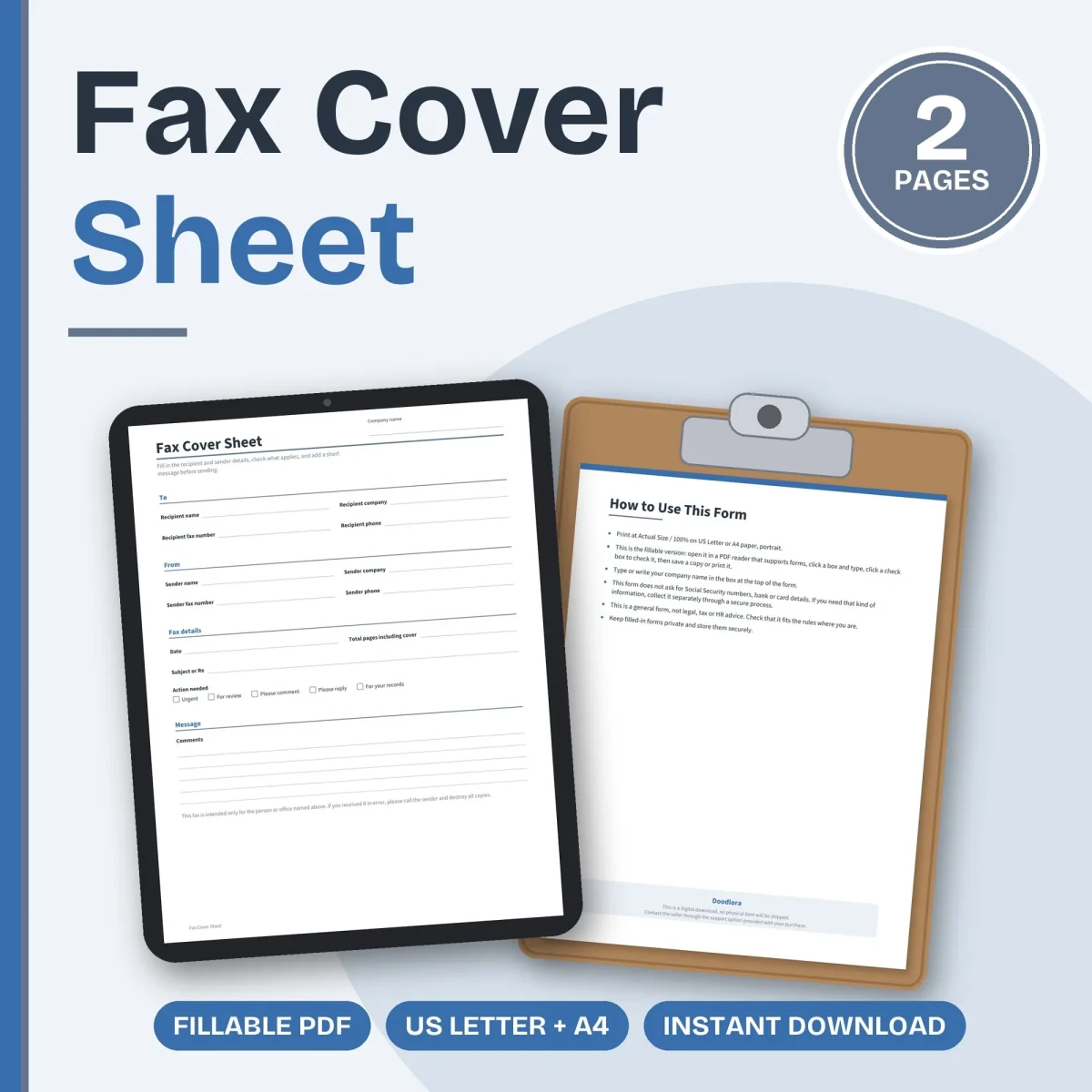
A plain one-page fax cover sheet laid out on thin rules, with a company name line at the top and every standard fax field already labeled. Type into the fillable PDF and print, or print a stack of blanks to fill in by pen.
$2.99
Buy any 3 or more printables and save 20% at checkout.
- Download right after payment — link works for 30 days, up to 5 downloads
- Files arrive as a ZIP with your license PDF inside
- Secure checkout by Stripe · Refund policy
A fax cover sheet goes on top of the pages you send so the person at the other machine knows who it is for, who sent it and how many pages should have arrived. This one fits all of that on a single portrait page.
What the sheet asks for
- To: recipient name, company, fax number and phone.
- From: the same four lines for the sender, so the reply can find you.
- Fax details: date, “Total pages including cover” and a Subject or Re line.
- Action needed: five boxes to tick, Urgent, For review, Please comment, Please reply and For your records.
- Message: a Comments heading over five ruled lines.
A short notice at the foot of the page asks anyone who receives the fax by mistake to call the sender and destroy all copies. Above the title sits a “Company name” line you can fill once and keep.
Typing it in versus printing blanks
The fillable PDF works in any reader that handles form fields: click a line, type, tick the action boxes, then save a copy or print. If you send faxes from the same office every week, fill in the From block and company name once, save that copy, and only the recipient and message change each time. The print PDF has the same layout with no fields, which is handier when the fax machine sits next to a tray of pre-printed blanks.
The design is mostly white space: a dark title, blue section headings, thin rules to write on and small square checkboxes. Unlike many form templates there are no shaded answer boxes on the sheet, only lines.