 1 / 7
Wish List Template for Excel: Wish List Tracker with a Gift List for Recipients, Gift Ideas, Savings Goals, Deposits and Purchases
A wish list in spreadsheet form: the things you want, with prices, store links and how many months of saving each would take, alongside a gift list for the people you buy for and a savings tracker fed by your deposits. One file covers both wanting and giving.
$2.99
Buy any 3 or more printables and save 20% at checkout.
- Download right after payment — link works for 30 days, up to 5 downloads
- Files arrive as a ZIP with your license PDF inside
- Secure checkout by Stripe · Refund policy
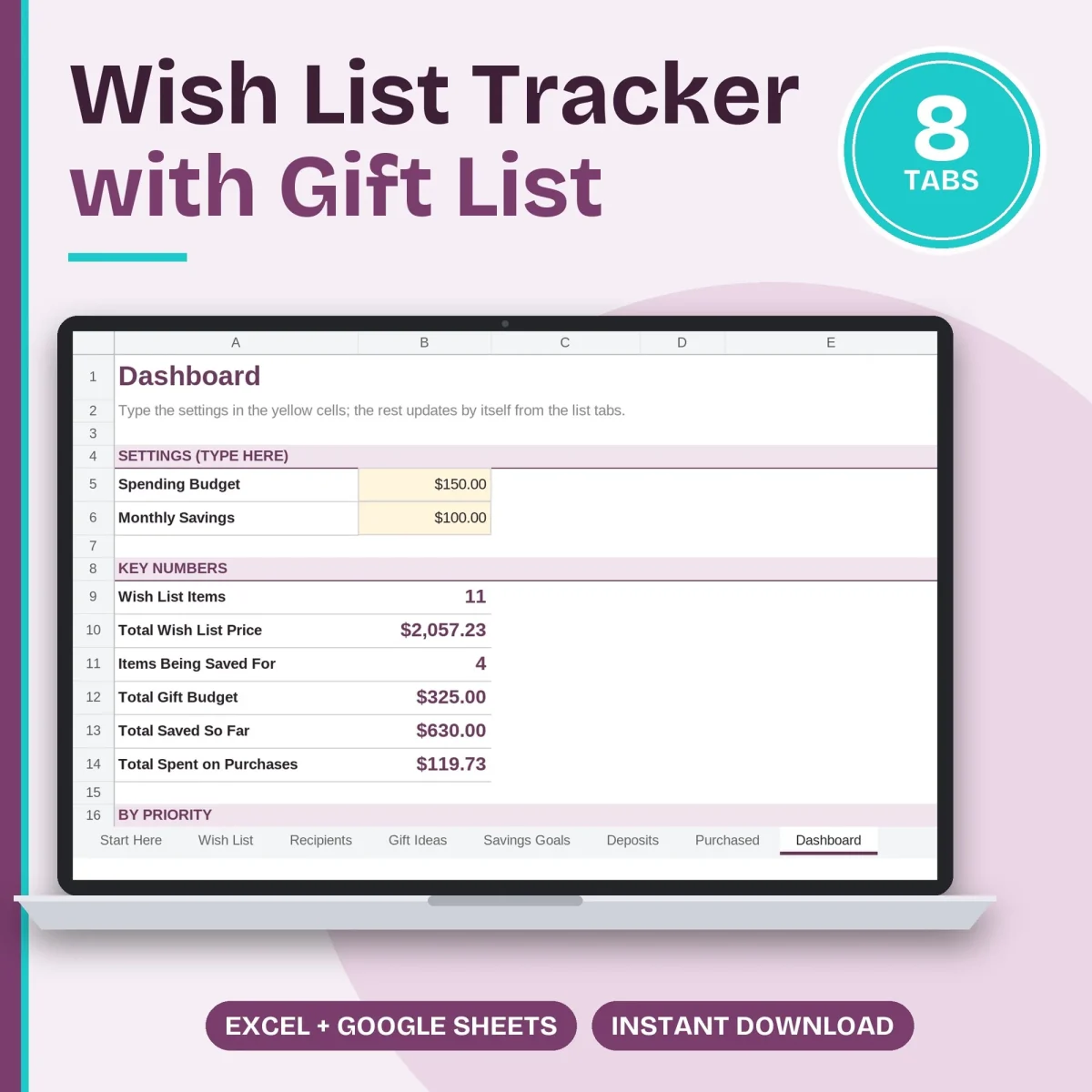
This wish list template is an Excel workbook that keeps the things you’d like to buy, the gifts you’re planning for other people and the money you’re putting aside, in separate tabs that feed one Dashboard.
Your wish list
Each item gets a category (Tech, Home, Fashion, Books, Hobby, Travel, Beauty, Other), a priority, a status (Wanted, Saving, Purchased, Skipped), a price and a store link. Two columns work from the settings you type on the Dashboard:
- Budget Check compares the price with your spending budget and says Within budget or Over budget.
- Months to Save divides the price by how much you put aside each month. With $100 a month, a $389 desk is 3.9 months away and a $54.50 book set is half a month.
Gifts for other people
The Recipients tab lists the people you buy for, with a relationship and a gift budget for each. Gift ideas go on their own tab, each tagged with who it’s for (from a dropdown of your recipients), a price and a status of Idea, Ordered, Bought or Wrapped. Back on Recipients, the sheet totals what’s spent or planned for each person, shows what’s left in their budget, and counts how many of their gifts are bought.
Saving up
Savings Goals holds a target amount and date for anything you’re saving toward. You don’t type the saved amount yourself. Each time you put money aside, add a row on the Deposits tab and pick the goal it belongs to, and the goal’s Saved So Far, Still Needed and Percent Saved update. Purchased is a plain record of what you actually bought, where and for how much.
Dashboard
Type your spending budget and monthly savings at the top. Below, it counts wish list items and those you’re saving for, totals their prices, the gift budget, the amount saved and what you’ve spent on purchases, and splits the wish list by priority with a text bar for each.
Sample and printouts
The sample includes headphones, a standing desk and a camera on the wish list, six gift recipients from Aunt Carol to a coworker, and five savings funds with eight deposits. The PDF shows every sample tab and includes six blank pages (Wish List, Recipients, Gift Ideas, Savings Goals, Deposits, Purchased) for anyone who’d rather keep the lists on paper.
For Excel 2010 or newer; you can also upload it to Google Drive and open it in Google Sheets.