 1 / 4
Photo Save the Date Cards: Picture-Space, Monogram and Circle-Our-Date Calendar Designs with Postcard Back in English and Spanish
Six save the date fronts on a cream ground: two built around a photo, one with the couple's initials, one with a month calendar and the wedding day circled, one with three small hearts and one with a rose bouquet. Every front comes in four sizes and in English and Spanish, with a 5 x 7 postcard back and a 2027 to 2028 calendar file for setting your own month.
$3.99
Buy any 3 or more printables and save 20% at checkout.
- Download right after payment — link works for 30 days, up to 5 downloads
- Files arrive as a ZIP with your license PDF inside
- Secure checkout by Stripe · Refund policy
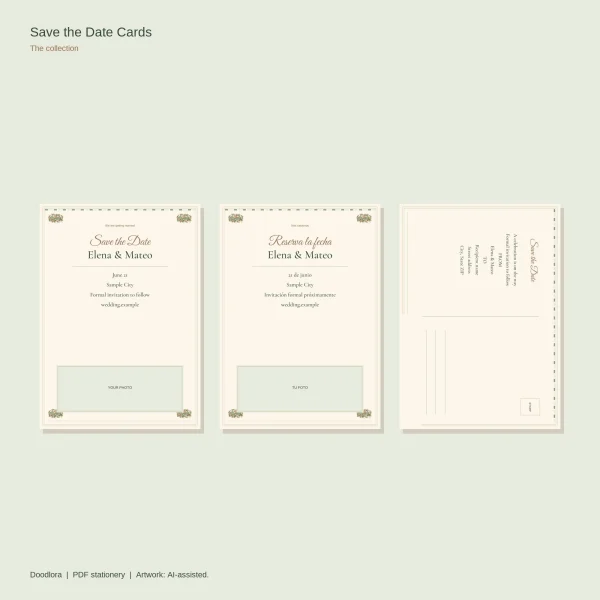
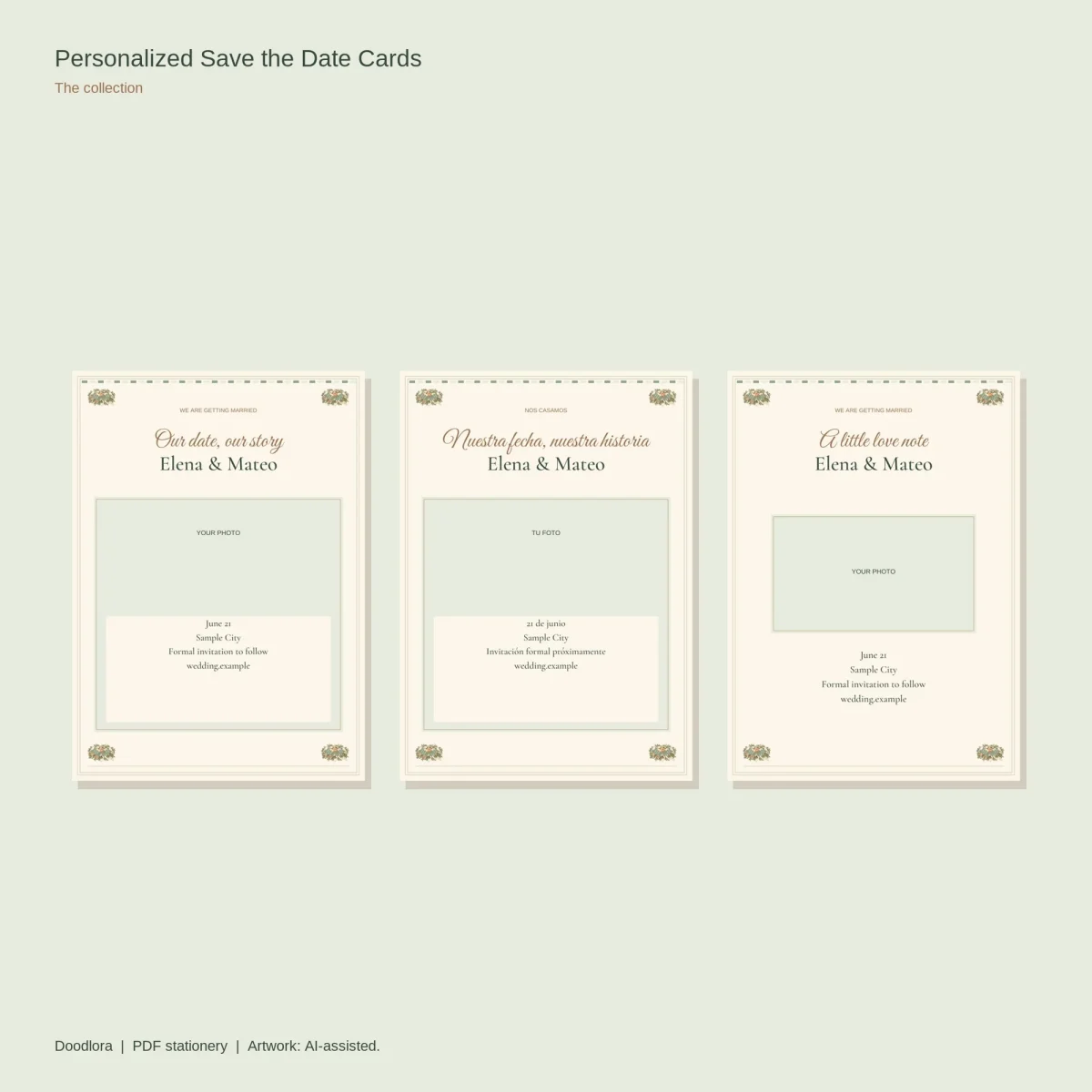
These photo save the date cards give you six fronts to choose from, and the picture-space designs are only part of it. Every card starts the same way, with “We are getting married” in small capitals, a script title and the couple’s names, then June 21, Sample City, “Formal invitation to follow” and a website line as sample details. The rest of the card is where the six designs part ways.
Six fronts
- Our date, our story. A tall photo box takes up most of the card, and the date lines sit on a cream panel laid across the lower part of the picture.
- A little love note. A smaller landscape photo box between the names and the details, with plenty of cream around it.
- Monogram. The names written in script as the title, and a large “E + M” set near the foot of the card.
- Circle our date. A month grid for June 2027 under the details, with the 21st ringed by a thin circle.
- Save the Date. No photo, just three small outline hearts scattered near the bottom.
- Love in full bloom. A bouquet of cream and blush roses at the foot.
Each front is in the PDF at 5 x 7 and 4 x 6 upright, and at 7 x 5 and 6 x 4 sideways, where the photo or initials move to the left half and the text to the right. Spanish pages open with “Nos casamos” and translate every title, so Circle our date becomes “Marca nuestra fecha” with a calendar that starts on D for domingo.
Setting the calendar to your month
The calendar card ships with June 2027. Calendar-Reference.pdf holds a grid for every month of 2027 and 2028, each on its own 5 x 7 page headed Save the Date, so you can see which day of the week your date lands on. The Read-Me tells you to use the page for your real year and month, to change the circled day and the printed date together, and not to keep the sample June grid for any other month.
Back and extras
The 5 x 7 postcard back has a stamp box, “Save the Date” in script, “A celebration is on the way”, a FROM line and sample TO lines. The guide treats 5 x 7 as an envelope size rather than a retail postcard, so check postage with your post office before mailing it bare. Rounding out the set are a 5 x 7 More details to follow card, a 3.5 x 5 “Save our date” card with a rose-covered cottage, and two phone layouts, one with a photo box at the bottom and one with the cottage, saved as JPGs.
Printing
Every card prints two to a landscape US Letter or A4 sheet with crop marks, the small cottage card included. Print at Actual Size, proof the first sheet on plain paper, then use card stock and trim on the marks. The names, date, city and web line are sample text throughout, so change them in your PDF editor before printing.
Questions
- How do I put our photo on the card?
- Open the photo design in a PDF editor that can place images, drop your picture over the box marked YOUR PHOTO (TU FOTO on the Spanish pages) and crop it to fill the space. The guide asks for a source photo at least 1500 pixels wide, and about 1500 x 2100 pixels for a photo covering a whole 5 x 7 card. Print one test copy before the full run.
- Our wedding is not in June 2027. Can I still use the calendar card?
- Yes, with one extra step. Find your month in Calendar-Reference.pdf, check which weekday your date falls on, and replace the sample June grid and its circled 21 with your month in the same PDF editor, changing the date in the text at the same time.
- Do all six designs take a photo?
- No. Only Our date, our story and A little love note have a photo box, plus one of the two phone layouts. The monogram, calendar, hearts and bouquet designs print as they are once the names and details are yours.