 1 / 7
Traffic Light Clipart & SVG: 30 Retro Designs with Stoplights, Pedestrian Signals, Signal Lamps, Street Scenes and Blank Rule Cards
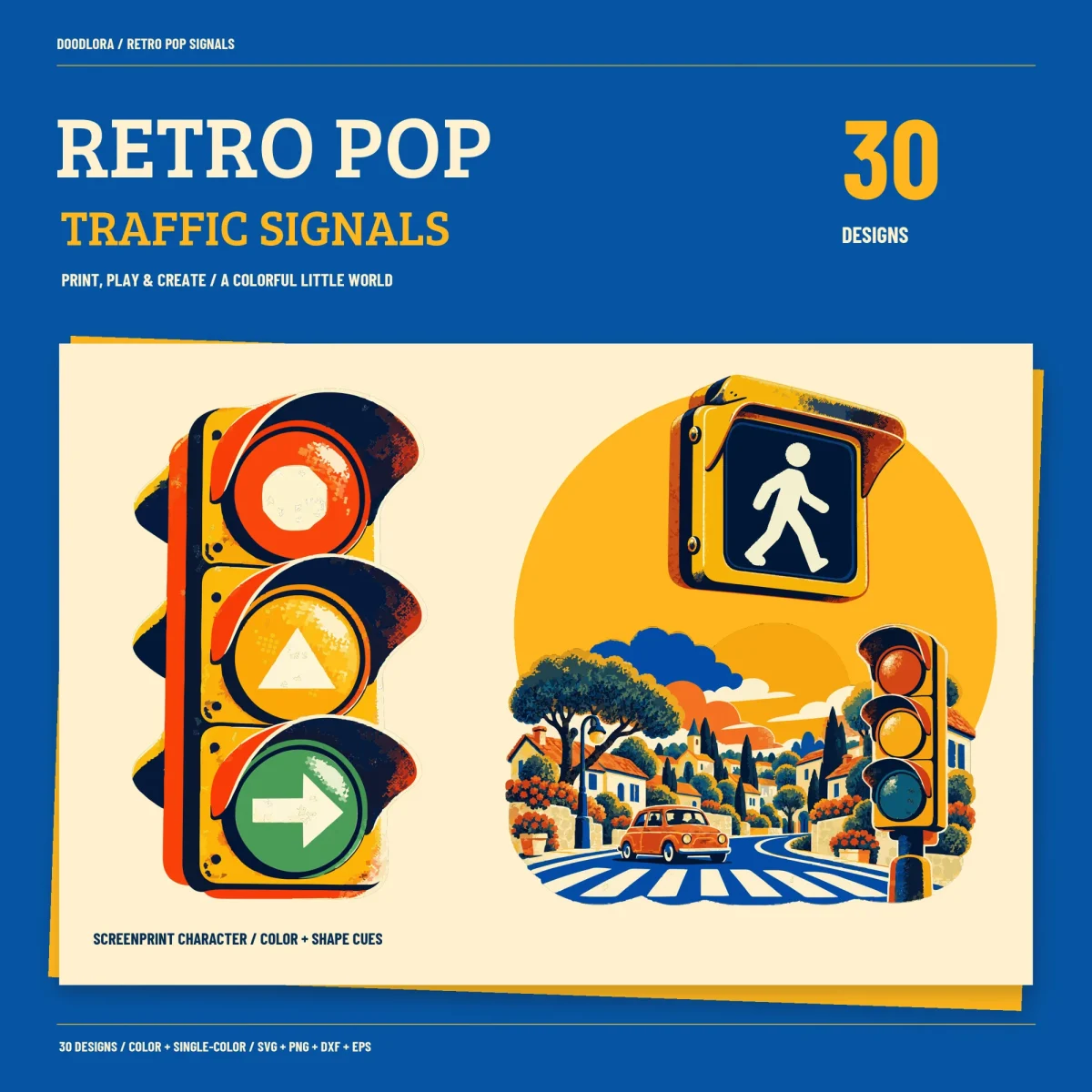
Thirty stoplight designs printed in a grainy retro style, mustard signal housings, tomato red, teal green and navy, with a speckle of halftone dots. Red, yellow and green lenses also carry an octagon, a triangle and an arrow, so each light reads by shape as well as by color.
$4.99
Buy any 3 or more printables and save 20% at checkout.
- Download right after payment — link works for 30 days, up to 5 downloads
- Files arrive as a ZIP with your license PDF inside
- Secure checkout by Stripe · Refund policy
This traffic light clipart looks pulled off an old screenprinted poster. The signal housings are mustard yellow with a slightly rough edge, the lenses are tomato red, warm yellow and teal green, and a light scatter of halftone dots runs across the color pieces. Each lens also carries a symbol, a pale octagon on red, a triangle on yellow and an arrow on green, so the colors are backed up by a shape.
Stoplights in every state
Designs 01 to 03 are upright stoplights with just the red, the yellow or the green lit. 04 has all three lit, 05 has none, and 06 is a cheerful signal with a face, arms and big blue sneakers. Two sideways signals follow, one stopped on red and one showing the green arrow. Lights read red, yellow, green from top to bottom on the upright ones and from left to right on the sideways ones. The all-lit and smiling versions are for fun and do not show a real signal sequence.
Walk, wait and small icons
09 and 10 put the walk and wait boxes on posts with WALK in green and WAIT in red underneath, and 11 and 12 are close-ups of the walking figure and the raised orange hand. The six icons fit a stoplight into a round badge, a rounded square sticker and a pointed shield, hang one from an overhead arm, line up the three shape lamps on a bar, and stand one on a flat base.
Rule cards and street scenes
19 to 21 are cream cards with a STOP, PAUSE or GO header and an empty space below for your own words, such as a house rule or a chore chart heading. The three street scenes, a neighborhood crosswalk, a row of corner stores with striped awnings and a city avenue, mix tree-lined houses, small round cars and bold zebra stripes. The last six designs are single round lamps, three plain and three with the octagon, triangle or arrow.
Color, single-color and sizing
The single-color versions are flat navy with the grain removed, which makes them the cleaner choice for one-color work, though they no longer tell red from green. The PNGs are 3600 pixels on their long edge, and the tall stoplights come out much narrower than the round lamps. Each SVG holds only a viewBox and no inch or millimeter size, which leaves the opening size to your program. Starting points from the guide are about 7 inches wide on a child’s shirt and about 3 inches high for a picture on a learning chart. Pieces that sit apart, such as the lamps on 17, are separate shapes and are not joined for use as a stencil.
These are decorative pictures of signals, not official road signs or traffic control, and they don’t replace your local road rules.
Questions
- Can I type my own words on the rule cards?
- The writing area on the STOP, PAUSE and GO cards is blank artwork, not a text box. Add your words on top in your design program, or print the card and write on it by hand. The guide suggests 3 to 4 inches wide for the cards.
- Why does the DXF come in at the wrong size?
- The DXF files are saved in millimeters with a 254 mm design width, and there is one for each single-color design only. If your program expects inches, set the width you want after importing.