 1 / 8
Text Message Invitations: 6 Phone Designs with Matching Details Images and Printable Backups in English and Spanish
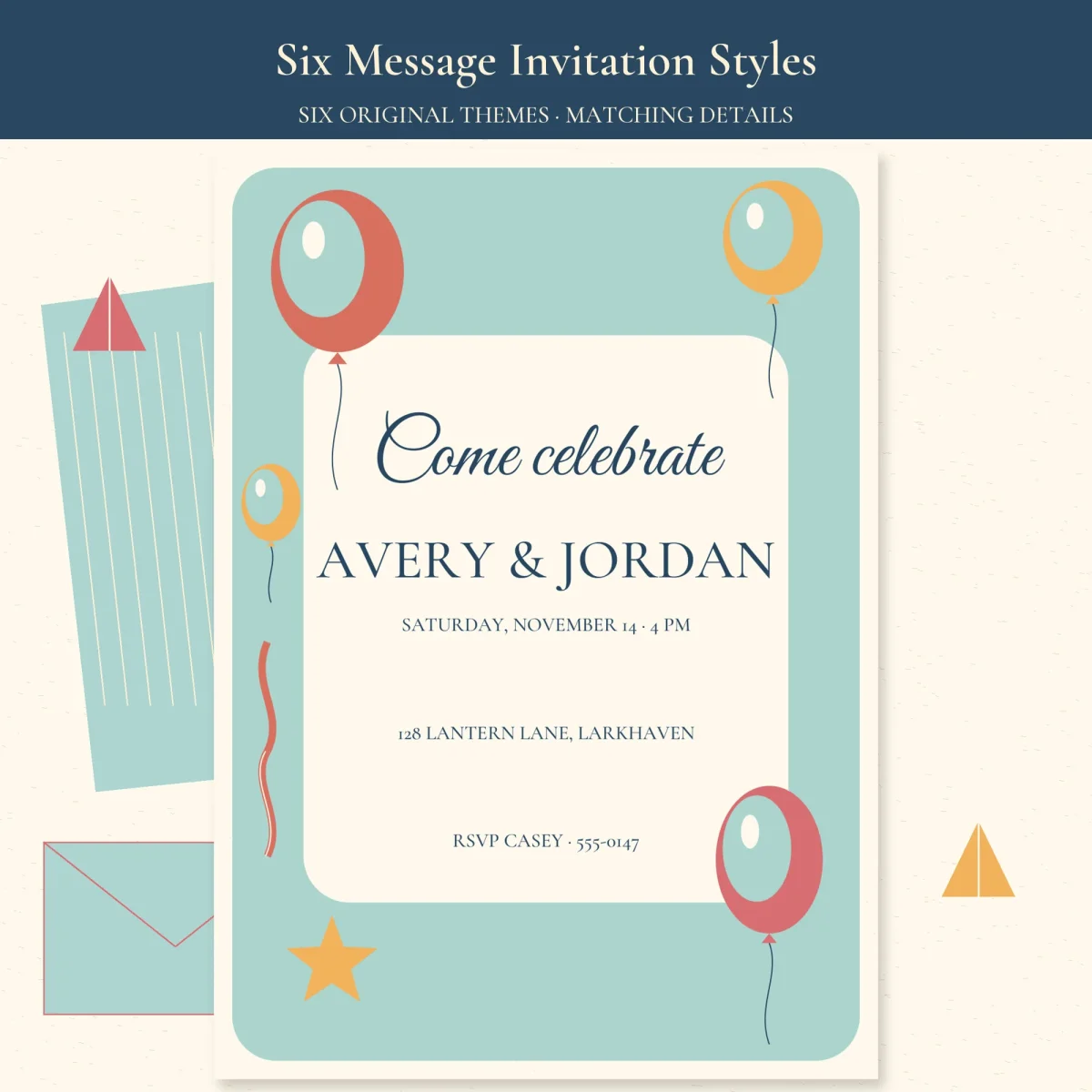
Six tall phone-screen invitations, from balloons and bold geometric shapes to a crescent moon, flowers, sports balls and a plain arch, each with a second image that carries the reply date and dietary note. They are still pictures you send from your own phone, and each design also comes as a 5 x 7 or 4 x 6 in card for guests who would rather have paper.
$3.99
Buy any 3 or more printables and save 20% at checkout.
- Download right after payment — link works for 30 days, up to 5 downloads
- Files arrive as a ZIP with your license PDF inside
- Secure checkout by Stripe · Refund policy
A group chat is where these invitations are meant to go. Each design is a pair of 1080 x 1920 images: the invitation itself with the names, date, place and RSVP contact, and a matching “The details” screen that repeats the time and address and adds a reply-by date and a line asking guests about dietary needs. Send the two together.
Six designs
| Design | What’s on it | Title on the sample |
|---|---|---|
| Balloons | red, yellow and pink balloons and a gold star on aqua | Come celebrate |
| Geometric | coral rings, a striped corner triangle and dots on aqua | A modern little party |
| Stars | a gold crescent and small stars around a cream oval on blue-gray | An evening to remember |
| Flowers | pink blooms and tulip buds on peach | Gather and bloom |
| Sports | a basketball, a soccer ball, a pennant and a star on pale green | Game on, party on |
| Minimal | a thin arch line and a few brown leaves on tan | A good time together |
None of the titles names a birthday or any other occasion; the sample hosts are a pair, Avery and Jordan. Every design has a photo version with a rounded “Your photo” tile above the text, and all of it is repeated in Spanish, where “Come celebrate” becomes “Ven a celebrar.”
Sending and editing
These are still pictures, not a texting service: you send them yourself, and guests reply to the contact on the card. To change the wording on a phone, make your own copy of the Canva template linked from the access PDF, tap a text box, swap in your names and details, add a photo if you want one, and download a 1080 x 1920 JPG. The JPGs in the download are finished samples with made-up names, so use them to preview the look rather than sending them as they are.
Paper copies
For anyone who still wants a card in hand, each invitation is also laid out at 5 x 7 and 4 x 6 in, and each details screen as a 5 x 7 in card. Editable-Local-Source.pdf has the same pages with live text for a PDF editor; keep print details at 10 pt or larger. Print the Letter or A4 file at Actual Size (100%) with Fit to Page off, test size and duplex direction on plain paper, and trim on the crop marks. Full-color edges can leave white margins on a home printer; card stock or a print shop avoids that.
Questions
- Do guests reply through a link?
- No. These are still images with no animation and no online reply service. Guests answer the RSVP contact you type on the card.
- Can I edit them on my phone?
- Yes, through your own copy of the Canva template, which downloads as a 1080 x 1920 JPG. On a computer you can also change the text in Editable-Local-Source.pdf.